
Anupam Chugh

I build iOS apps with on-device AI, and I ship them.

Apps from music to travel to chess. Here is the work: real screens, App Store and GitHub links, and what is still in the studio. Explore Wearover, now on the App Store: change what you wear in your own photo.

Get in touch
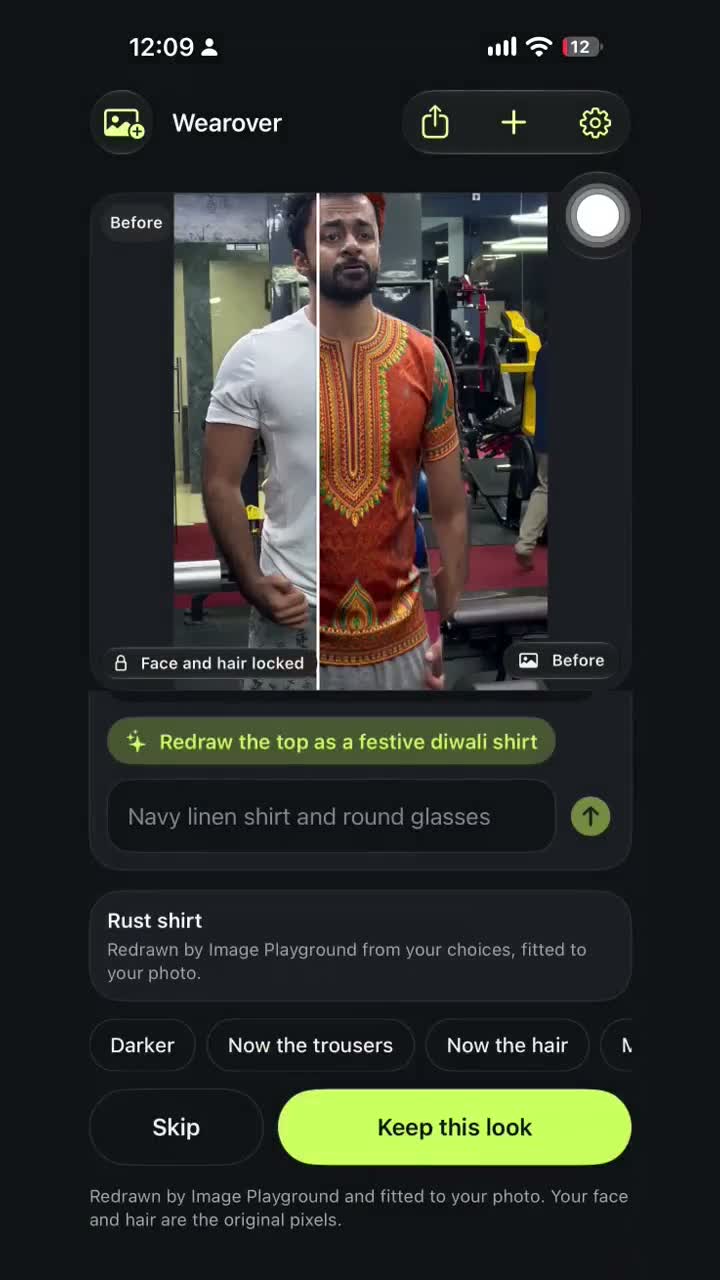
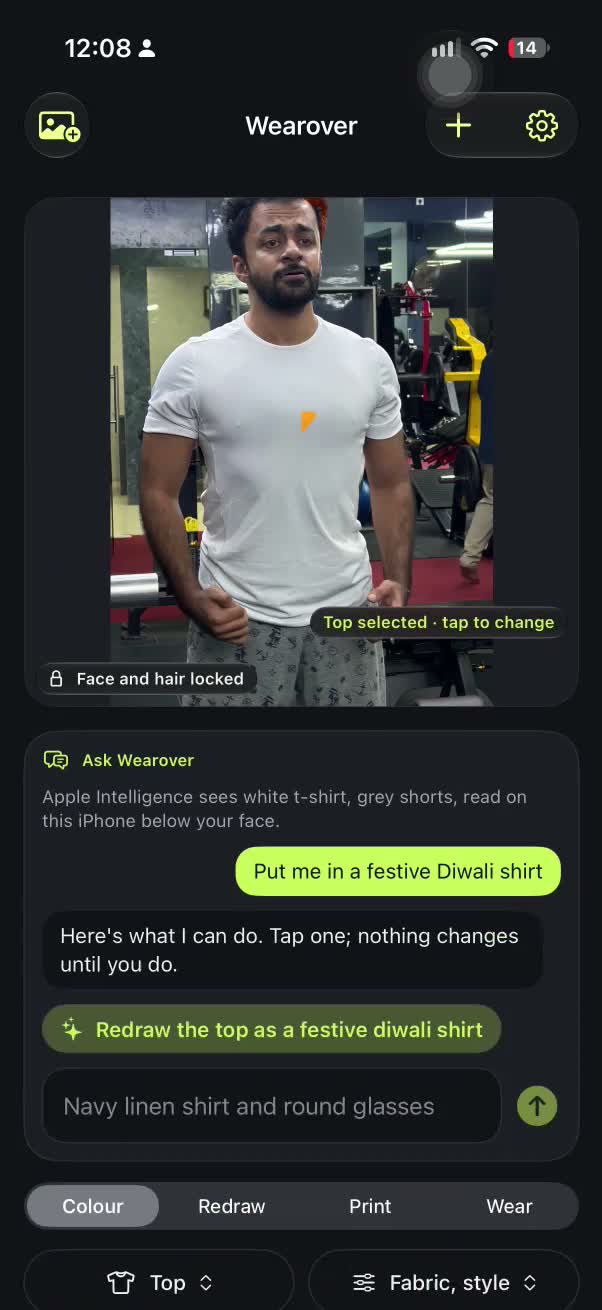
Wearover before and after a festive Diwali shirt
Wearover · on the App Store
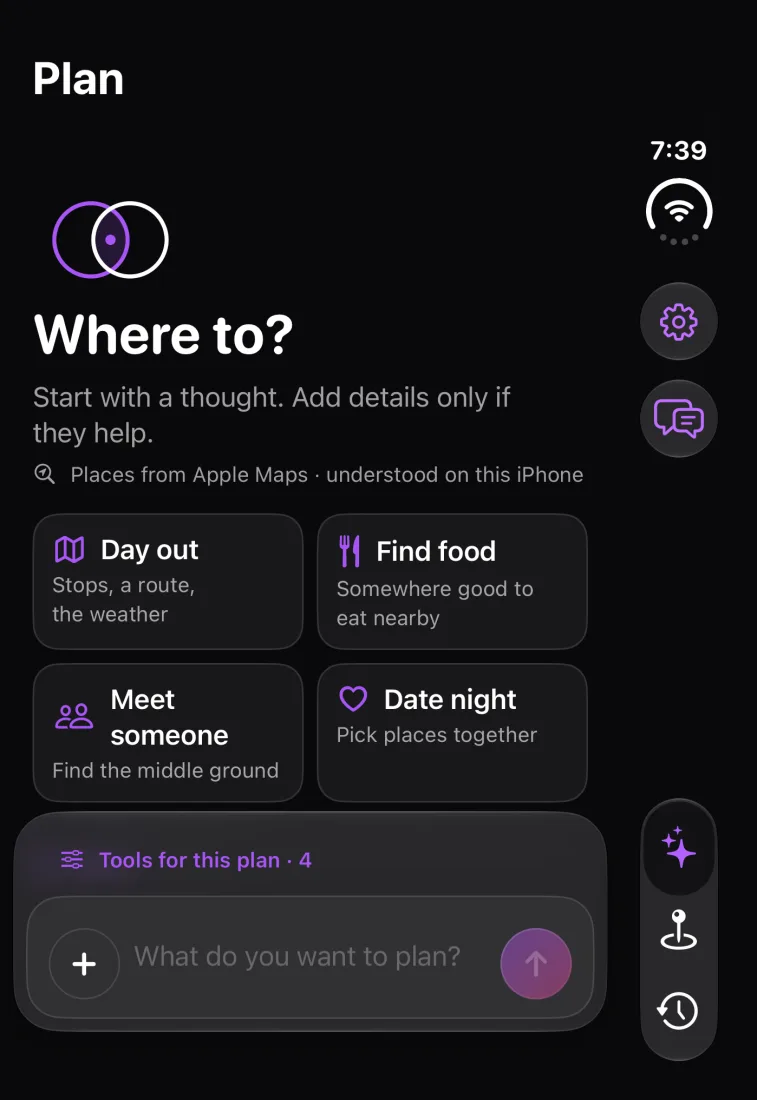
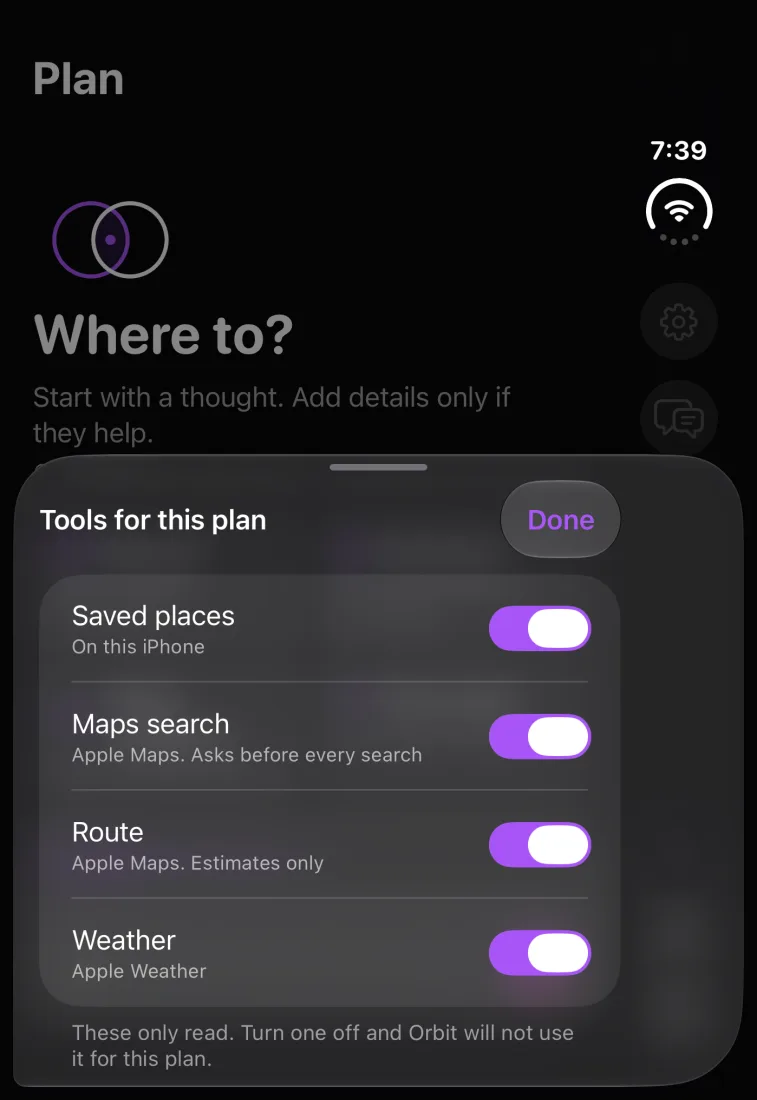
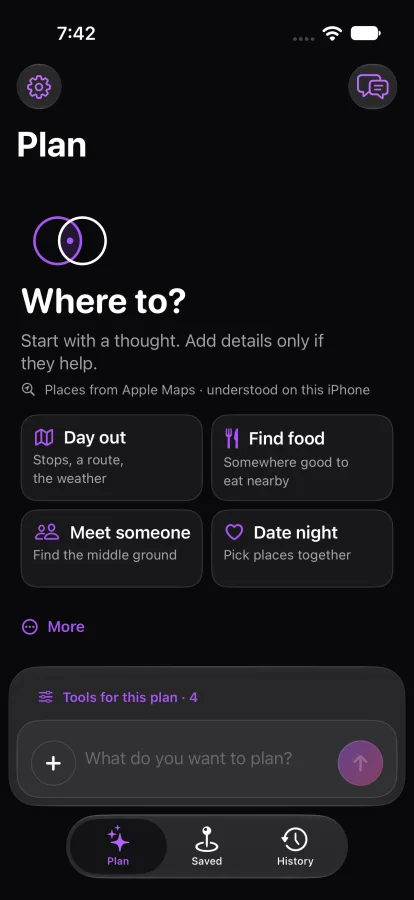
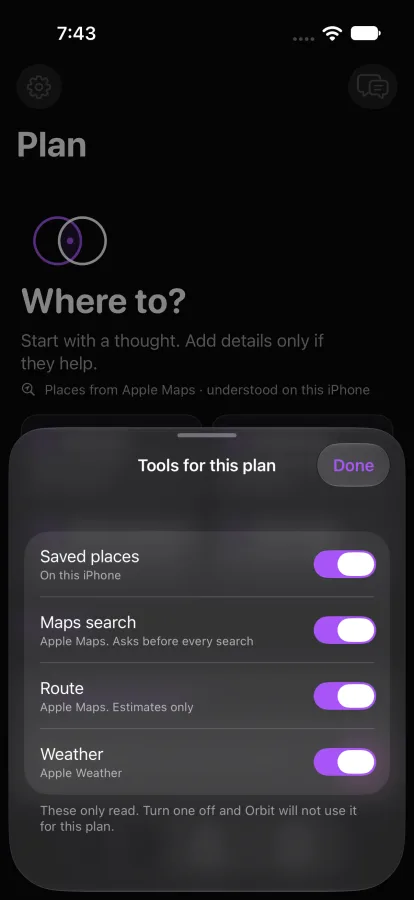
Orbits plan screen asking Where to?

The app shelf links to App Store listings and a Mac release on GitHub. Screens from development builds are labelled.

EchoHunt app iconEchoHunt Feedloom app iconFeedloom

Wearover: ask for a look

A real iPhone recording: a Diwali shirt request, Image Playground redraw, and the before-and-after result. Wearover is on the App Store.

Watch the full recording · Wearover on the App Store

Wearover before and after: a white shirt on the left and a festive red shirt on the right
Before and after from the iPhone recording
Wearover proposes redrawing the top as a festive Diwali shirt
Redraw proposal
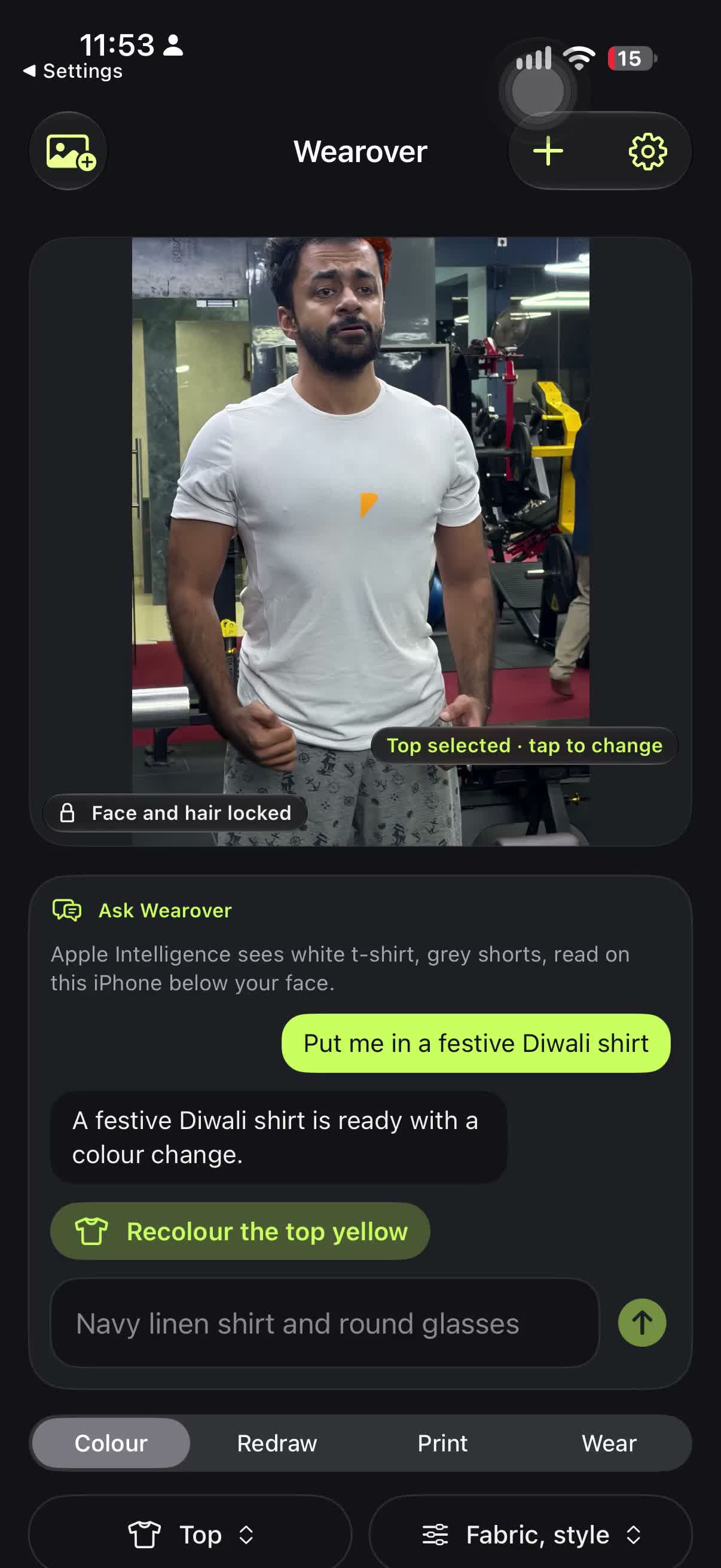
Wearover proposes recolouring the top yellow
Colour proposal

Traceshot: watch a trace

A replay built from public HN and GitHub data. The Hacker News story Show HN: Three new Kitten TTS models goes in, and its GitHub repository, demo page and the repositories linked in its comments come out as a web. Each strand shows how sure Traceshot is: both sides state it (Observed), one side declares it (Linked), or only a name matches (Needs verification).

iPhone simulator recording, 12 Nov 2026. The trace was built by a script from public pages rather than a live run, and Traceshot has not been run on a real iPhone yet. Download the recording (1.1 MB)

Selected work

Orbits

iOS · v1.7.0 · First commit 12 Feb 2026 · 903 commits

Plan your own trips and meetups.

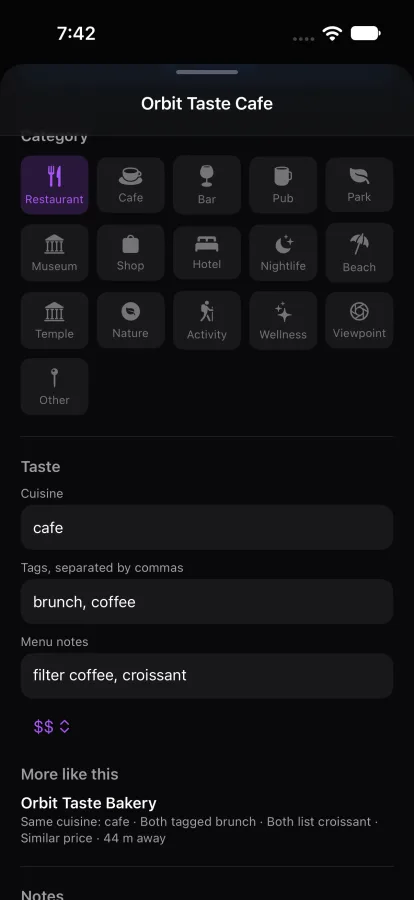
Pick places, find where your tastes overlap, and plan trips, meetups and date nights with an assistant that runs on the phone. On the App Store as Orbits: Find Common Ground. Screens are from a build in development, captured 22 October 2026.

View on the App Store
Orbits plan screen asking Where to? with starters for a day out, finding food, meeting someone and a date night
Orbits Tools for this plan sheet with saved places, Apple Maps search, routes and weather all switched on
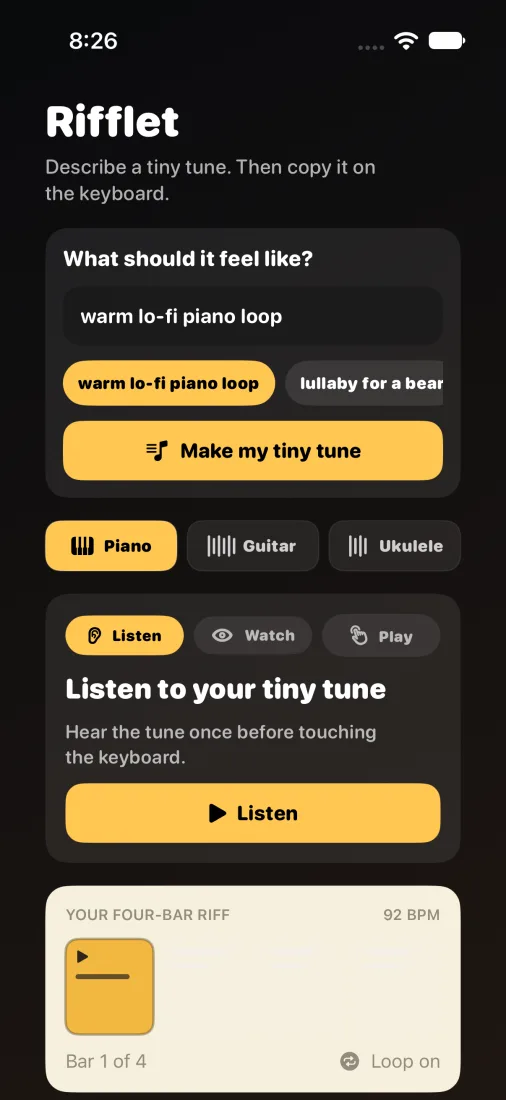
Rifflet's Make screen with a prompt box, quick idea chips, instrument tabs and a four-bar riff

Rifflet

iOS + macOS + watchOS · v1.5 · First commit 7 May 2026 · 94 commits

Generate a riff from a short idea, get a coach tip, and learn it with piano, guitar, or ukulele lessons and local playback.

Describe a tune in a few words, get a four-bar riff, then learn it with Listen, Watch and Play lessons.

View on the App Store

EchoHunt

iOS · v1.7 · First commit 22 Nov 2025 · 172 commits

Find songs for a mood or moment, refine suggestions in conversation, preview clips, and save a playlist when you choose.

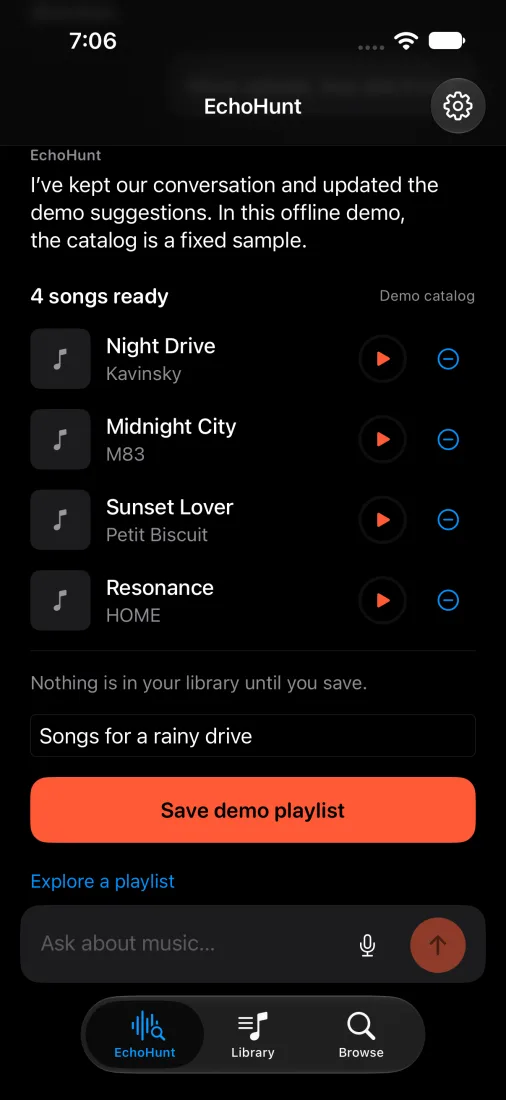
Ask in plain words, get songs ready to play, and save them as a playlist. It grew from the idea of a music agent you can ask instead of guessing why an algorithm picked a song. On the App Store as EchoHunt Music. The screen is from a demo build with a fixed sample catalog, as it says.

View on the App Store
EchoHunt's chat suggesting four songs from a demo catalog, with a button to save them as a playlist

Quorion Table

iOS · v1.3.0 · First commit 28 Mar 2026 · 186 commits

A storyteller console and table companion for social deduction nights.

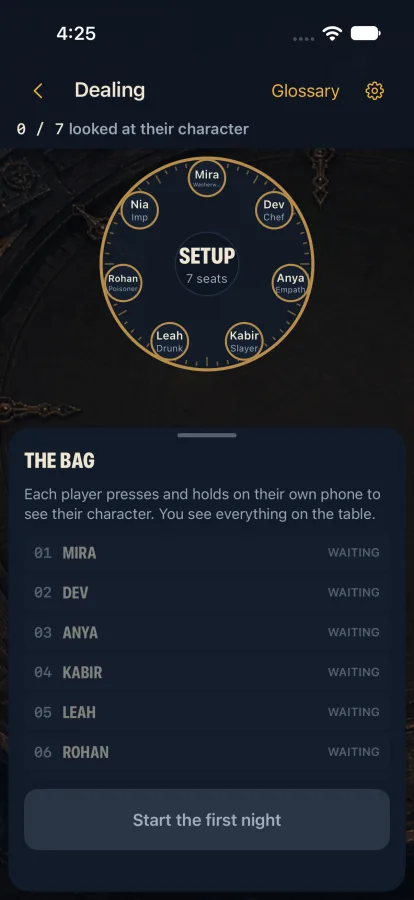
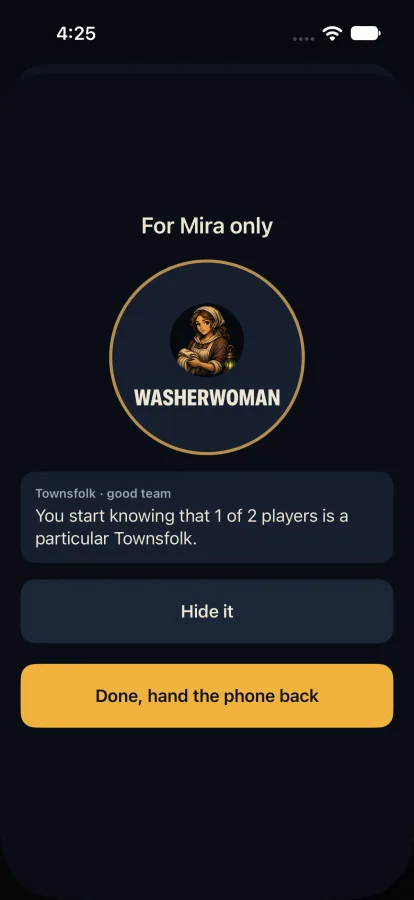
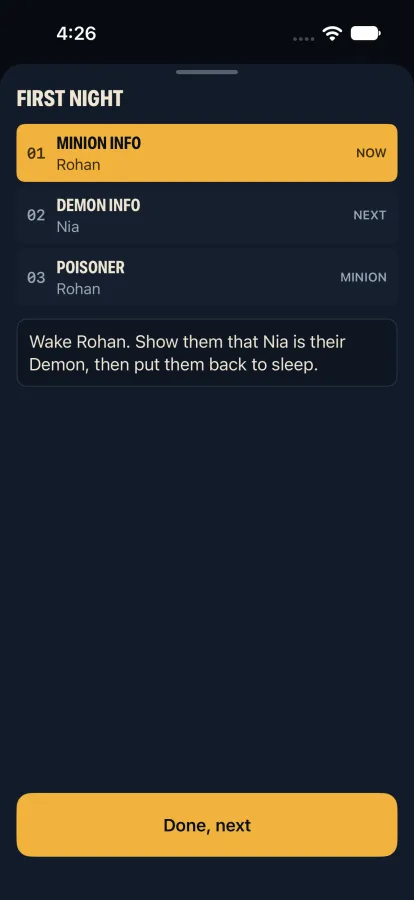
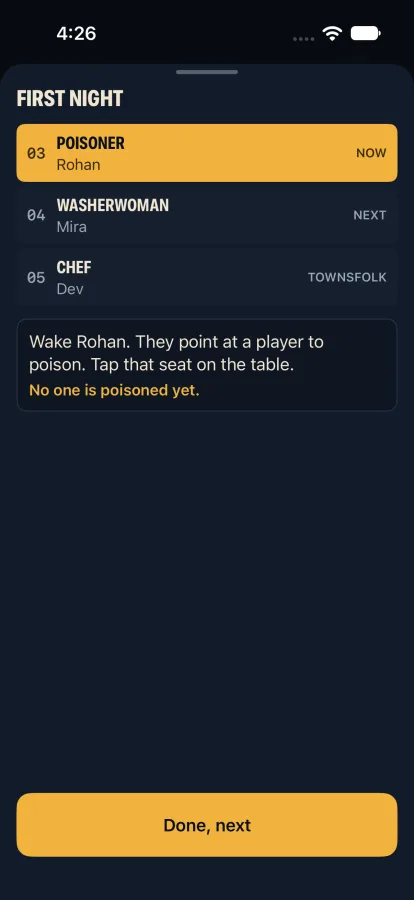
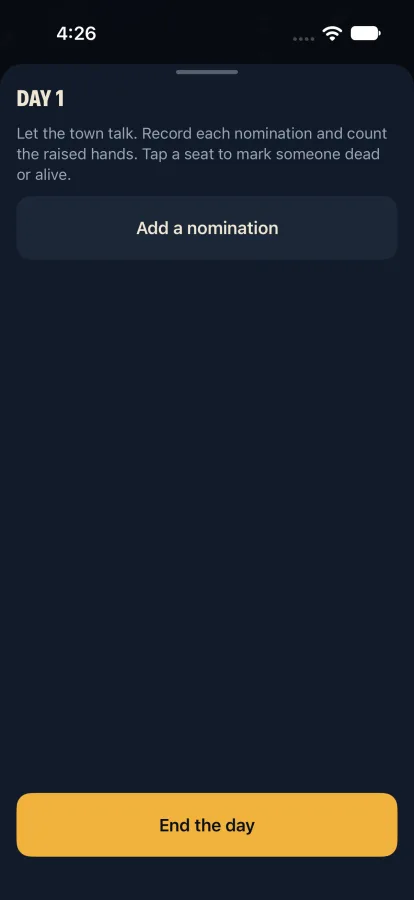
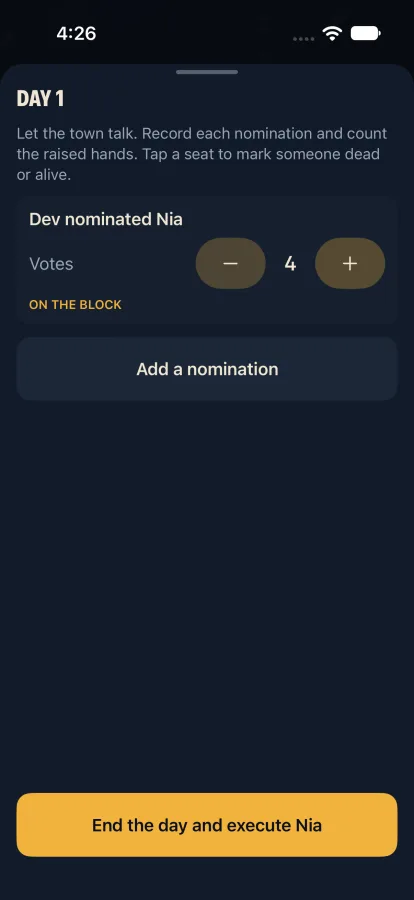
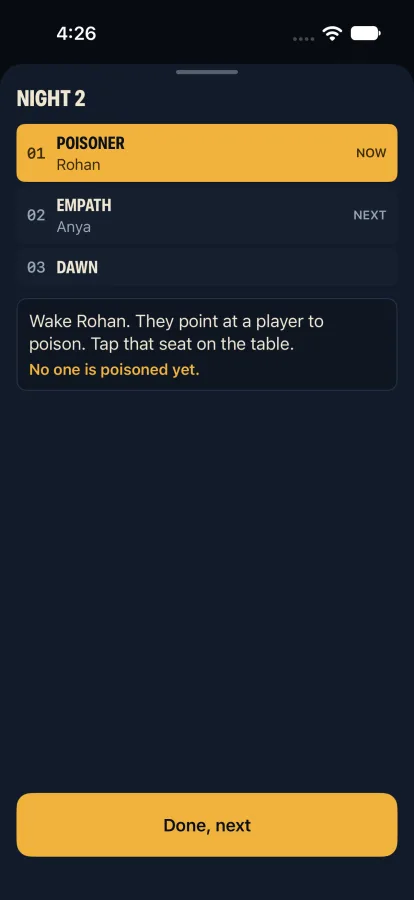
Seat the table, deal each character in private, step through the night in order, then keep the day's nominations and votes. The host runs the table instead of the paperwork. Screens are from the 1.4 playtest build.

View on the App Store
Dealing screen with seven seats around a circle and a list of players waiting to look at their character
A reveal screen for one player with a Hide it button and a hand-the-phone-back button
First night list with the current step highlighted and an instruction for the host

Pinprint

iOS · v1.0 · First commit 13 Jun 2026 · 16 commits

A private trip OS for collecting saved places, screenshots, tips, documents, and travel memories.

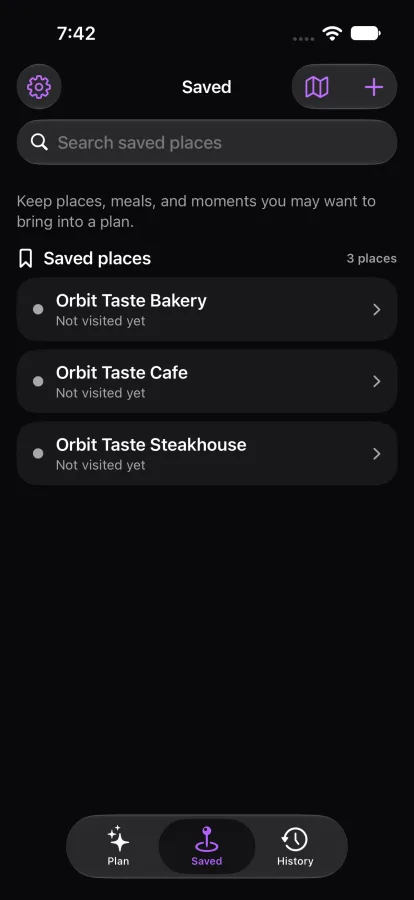
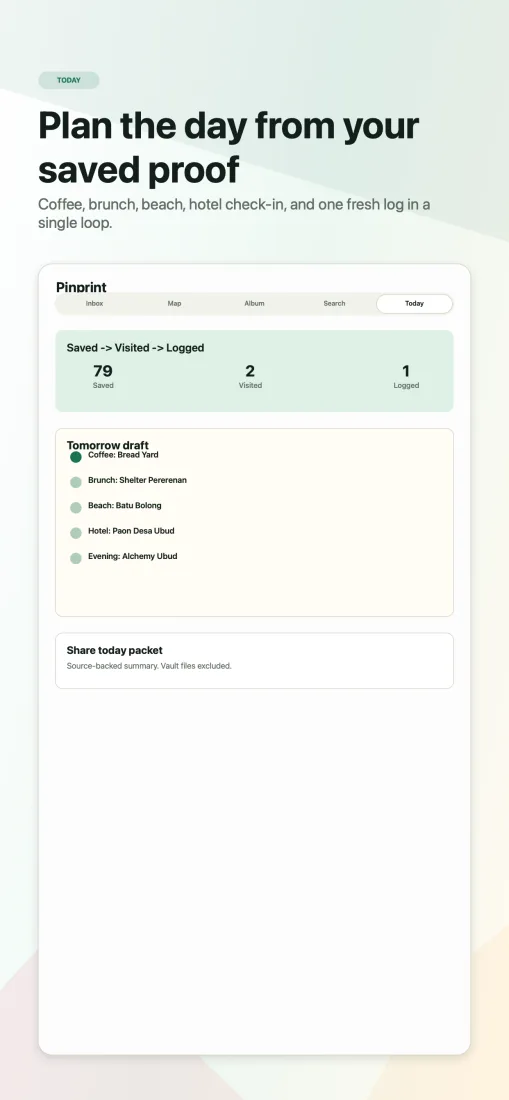
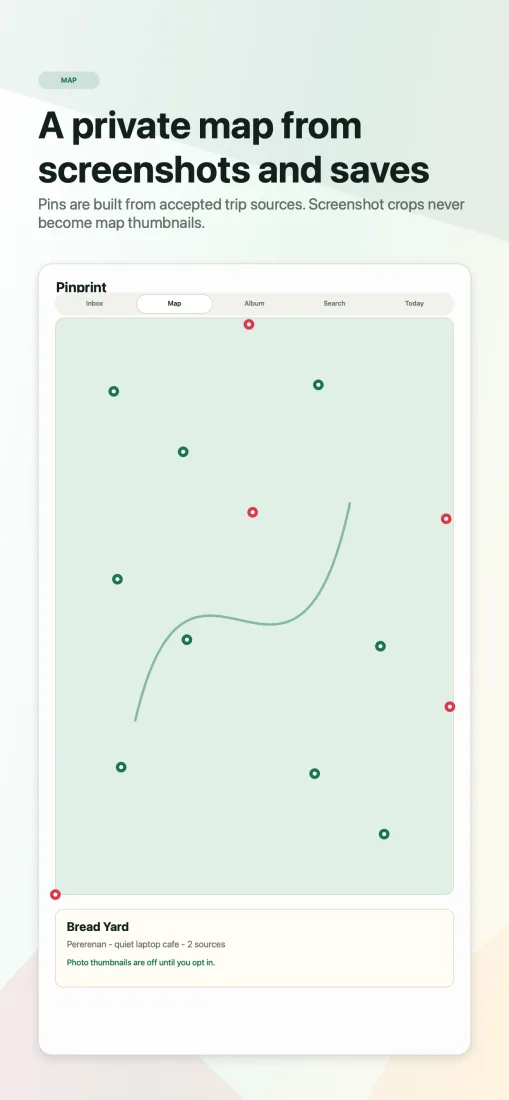
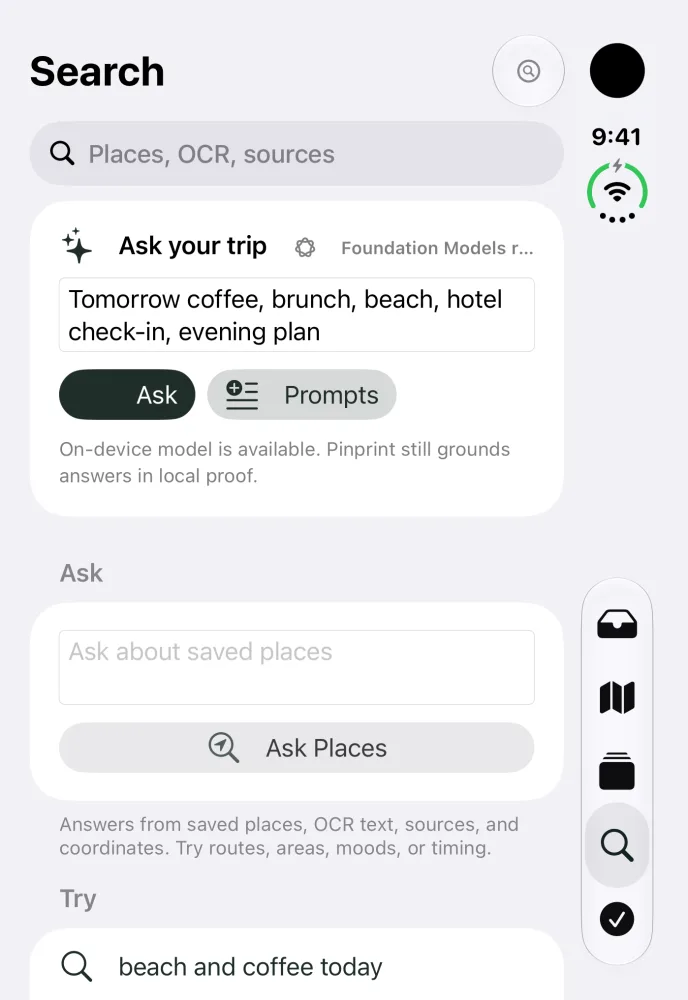
Plan the day from your saved proof, see a private map built from screenshots and saves, and keep tickets and travel documents local. The screens were captured on 25 October 2026 from the current source, on the iPhone Duo simulator, with the sample trip bundled in the app. The App Store version is 1.0.

View on the App Store
Pinprint's Today screen: saved, visited and logged counts, a prompt to log one place, and a travelogue note box
Pinprint's map of the sample Bali 2026 trip, with blue pins for saved places and counts of places, sources and logged
Pinprint's Search screen with an Ask your trip box, a note that the on-device model is available, and an Ask Places box

Breakline Surf

iOS · v1.5 · First commit 30 Jun 2026 · 87 commits

Compares visible surfing body position in your own photos and videos, privately on device.

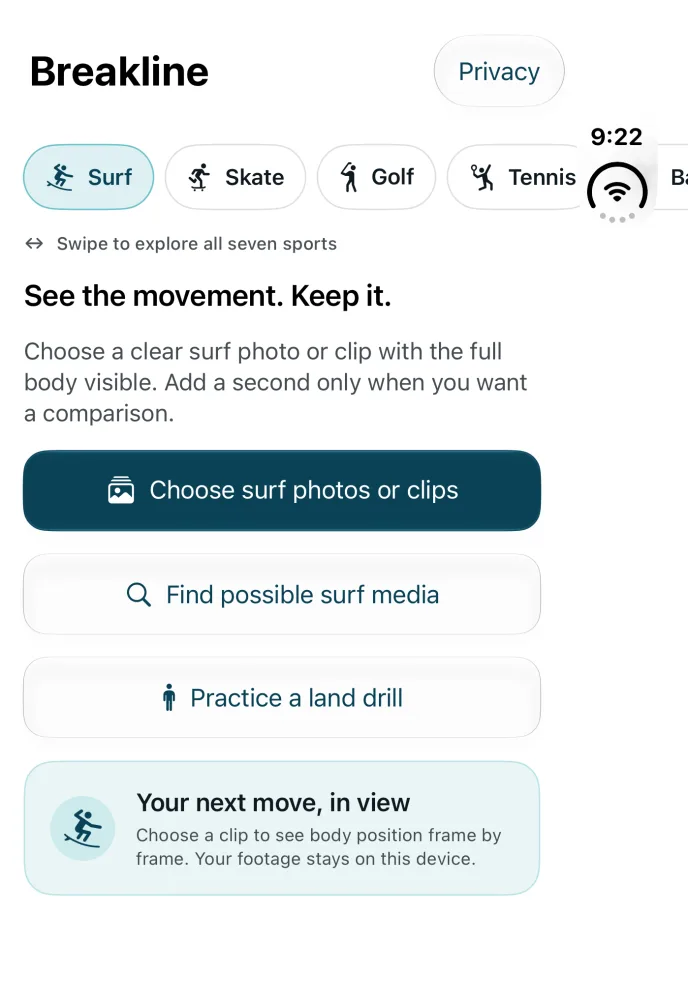
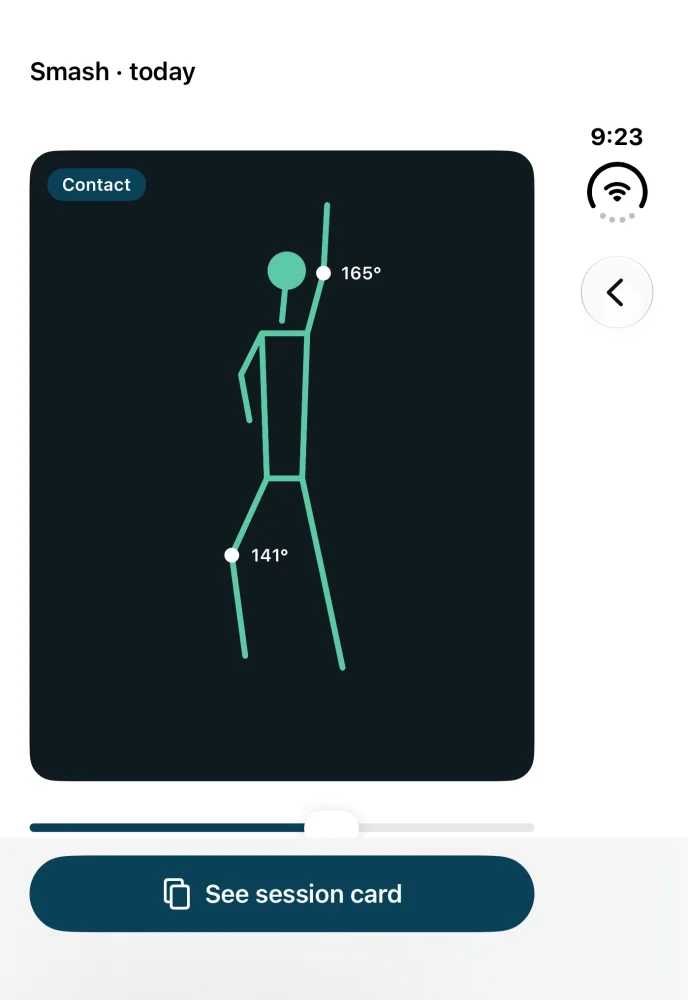
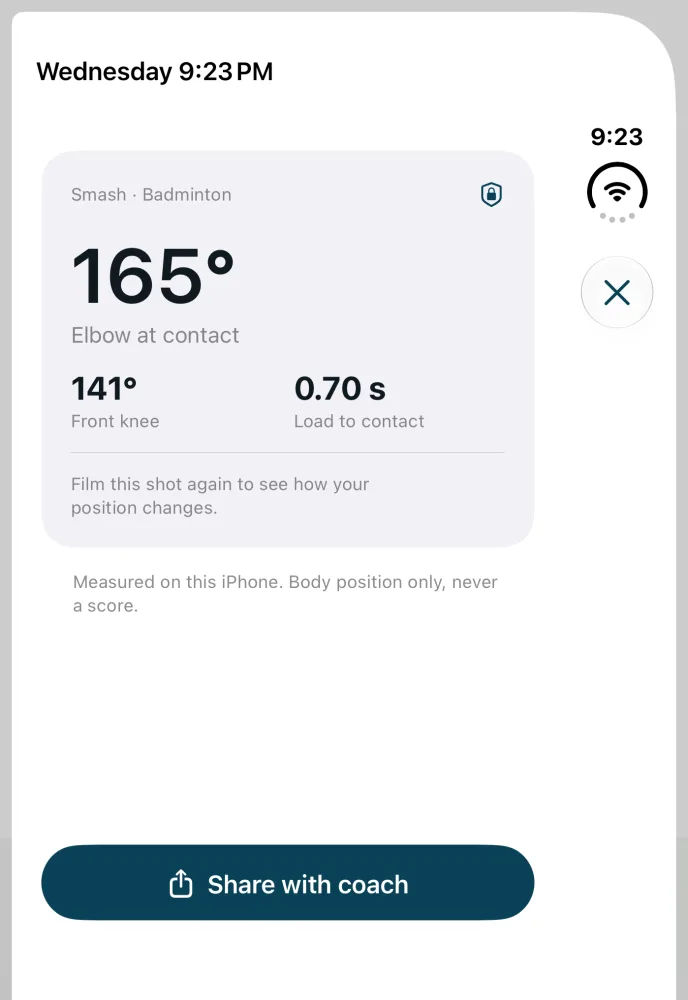
I started Breakline for my own surfing while recovering from a broken back. Pick a clip of your surf, skate, golf, tennis or badminton move and see your body position frame by frame, with the angles that matter and nothing uploaded. The screens were captured on 28 October 2026 from the current source, on the iPhone Duo simulator, with a sample badminton smash. Body position is read on the device.

View on the App Store
Breakline home screen: sport chips for surf, skate, golf and tennis, and buttons to choose surf photos or clips, find surf media or practise a land drill
Breakline pose overlay of a badminton smash at contact, with the elbow at 165 degrees and the front knee at 141 degrees
Breakline session card for the smash: elbow at contact 165 degrees, front knee 141 degrees, 0.70 seconds from load to contact, and a Share with coach button

Pastport

Mac release on GitHub · newer iPhone and Mac work in development

Private Safari history search on Mac, with a newer timeline and assistant in development.

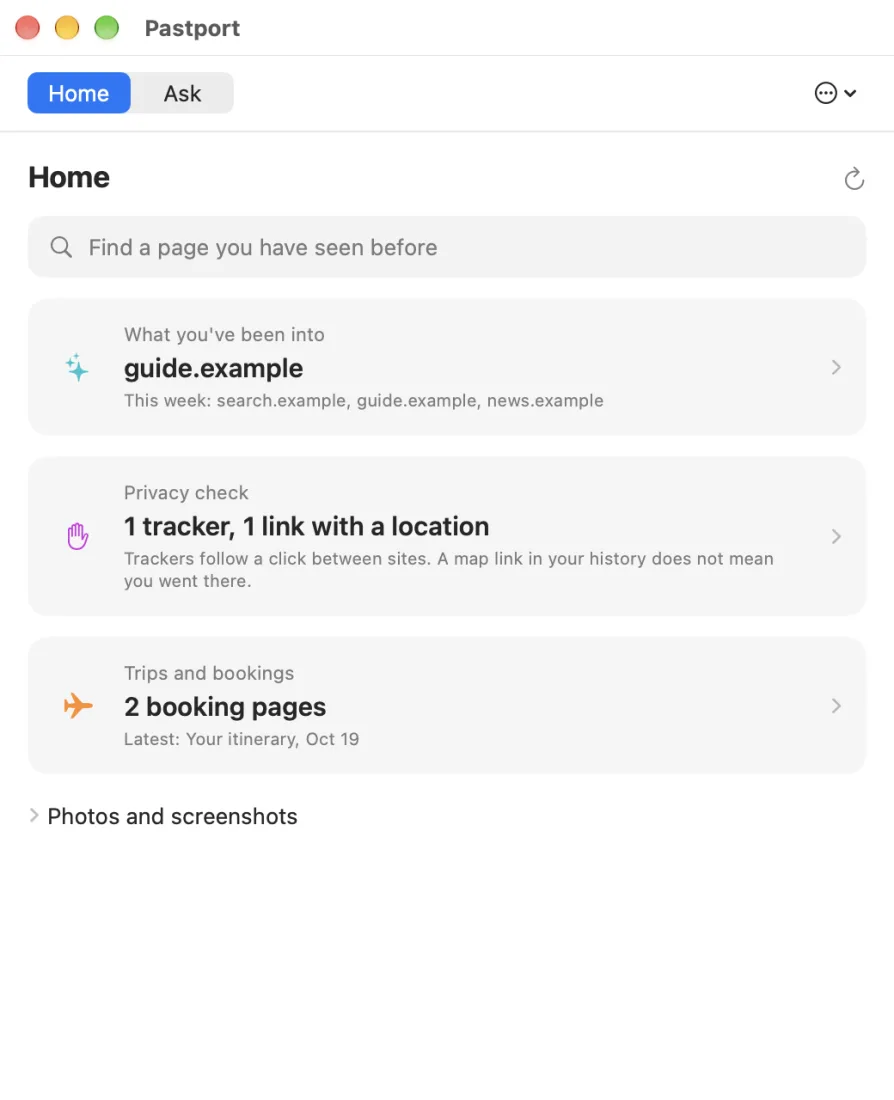
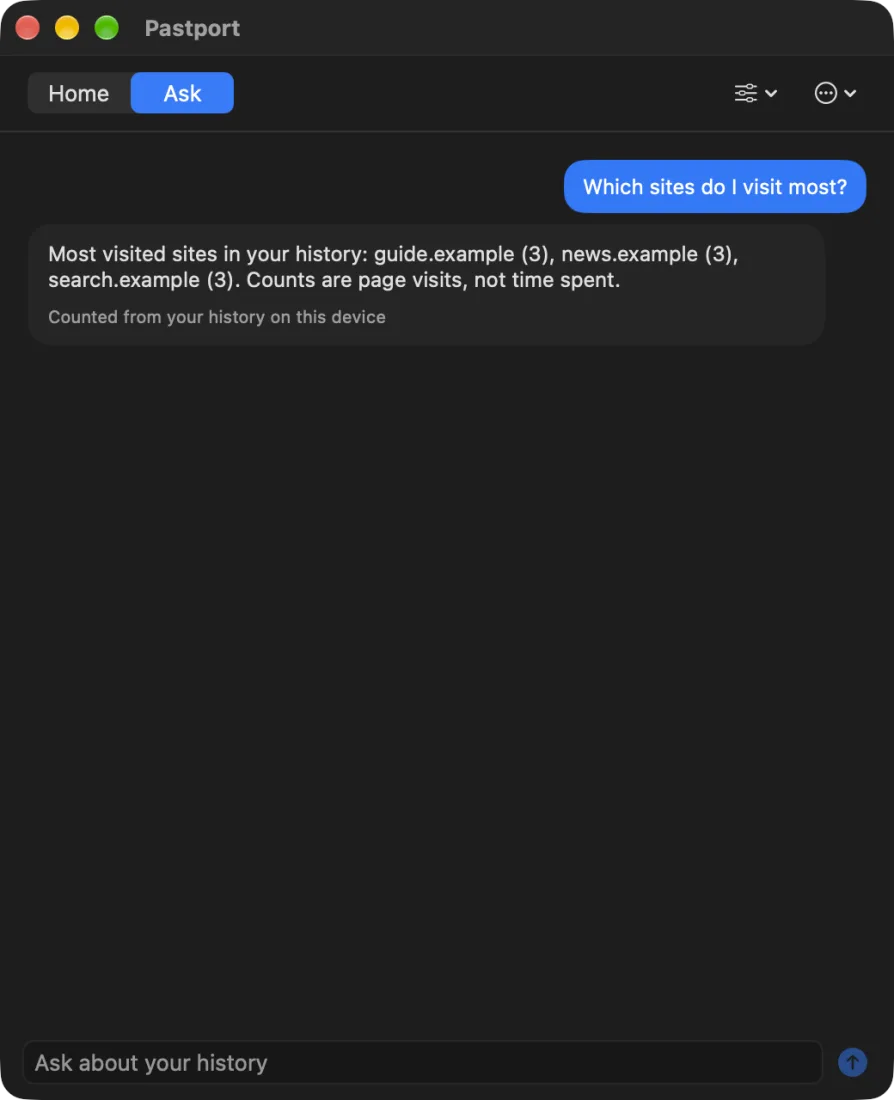
Find pages, browsing threads, privacy clues and booking-like visits in your Safari history on Mac. The newer source adds grounded answers and a separate assistant with optional connected tools. On iPhone, the timeline uses photo activity and screenshots you add; iOS does not expose Safari history. The GitHub download is the released Mac app, which may not include every feature described here. The screens use a sample history, not anyone's real browsing.

Download from GitHub
Pastport on macOS showing what you have been into this week, a privacy check and booking pages
Pastport on macOS answering which sites were visited most, in dark mode

Trayce

Open source on GitHub · iOS 27 MVP, running in the Simulator

Your trip, always the latest copy. Your trays, planned before the X-ray.

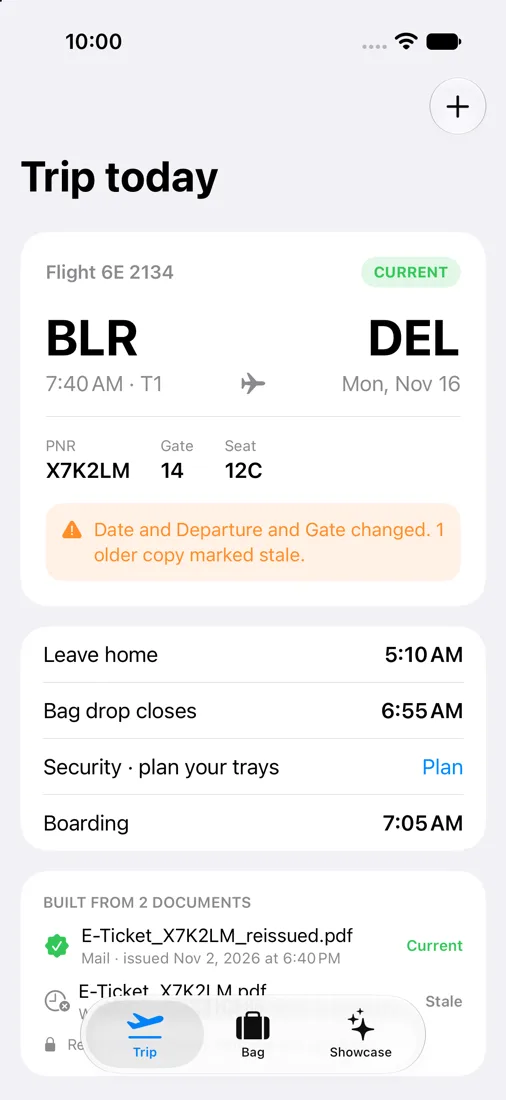
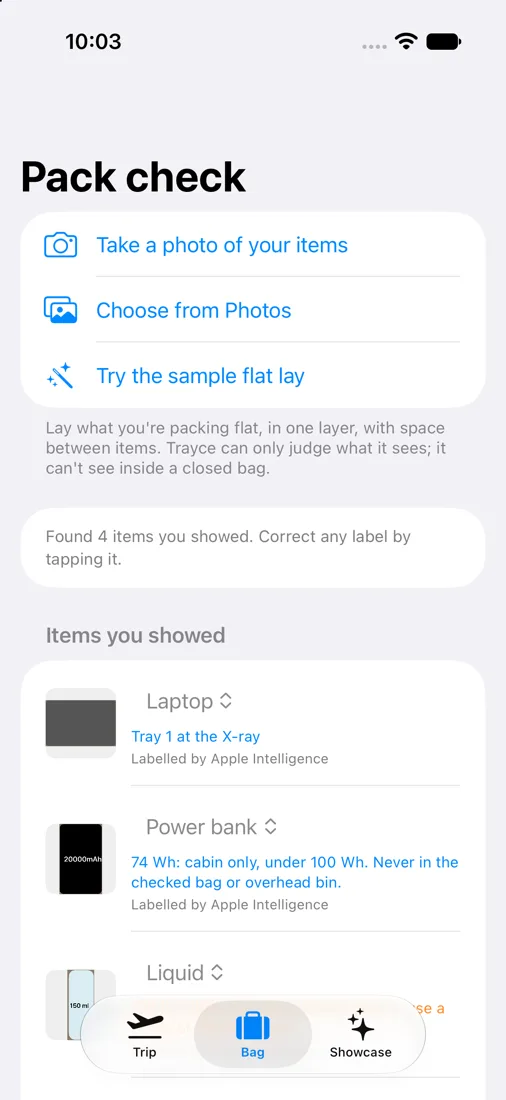
Trayce brings together the booking PDFs and screenshots you get from travel sites, airlines and WhatsApp, works out which copy is current and flags what changed. It plans your security trays from a photo of what you packed, with Vision finding the items and Apple Intelligence labelling them, all on the device. The screens use a sample trip; the camera, boarding barcode and LiDAR need a real iPhone.

Read the code and watch the demo
Trayce Trip today: Bangalore to Delhi, with a warning that the date, departure and gate changed and the older copy is stale
Trayce Pack check: a laptop, power bank and liquid found in a sample photo, each with its tray or cabin rule

Feedloom

iOS · v1.0.4 · First commit 11 Oct 2026 · 98 commits

An RSS reader for keeping up with links and feeds.

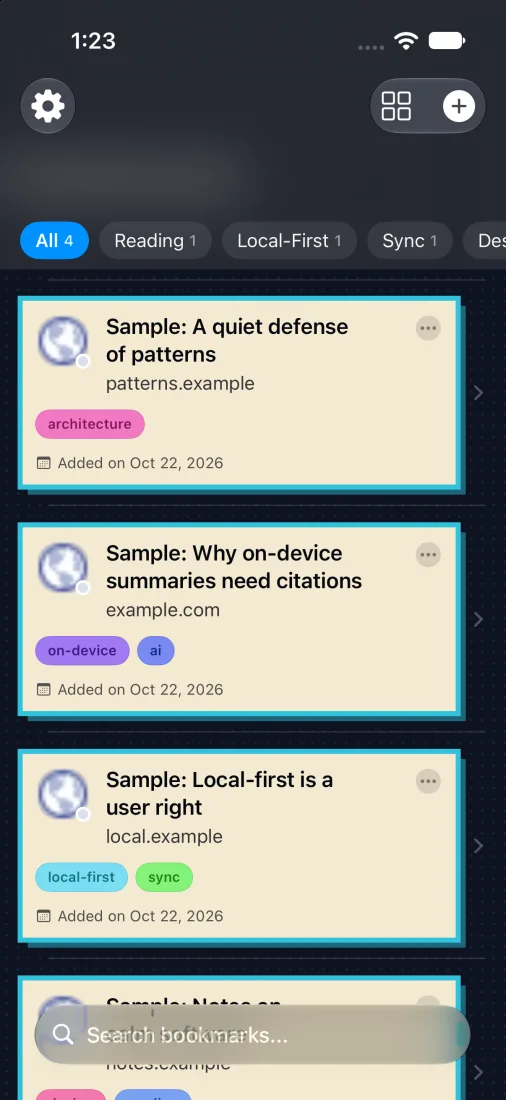
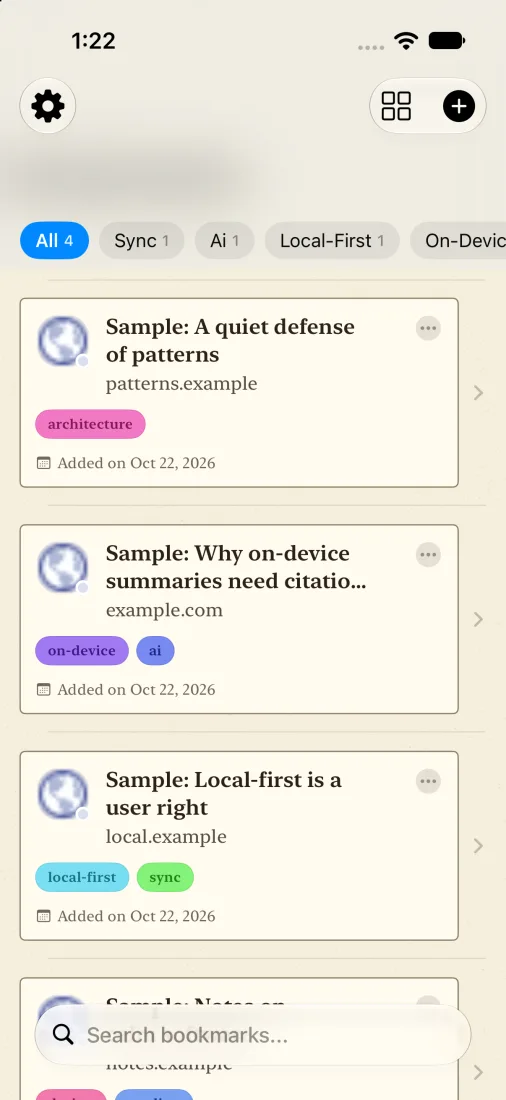
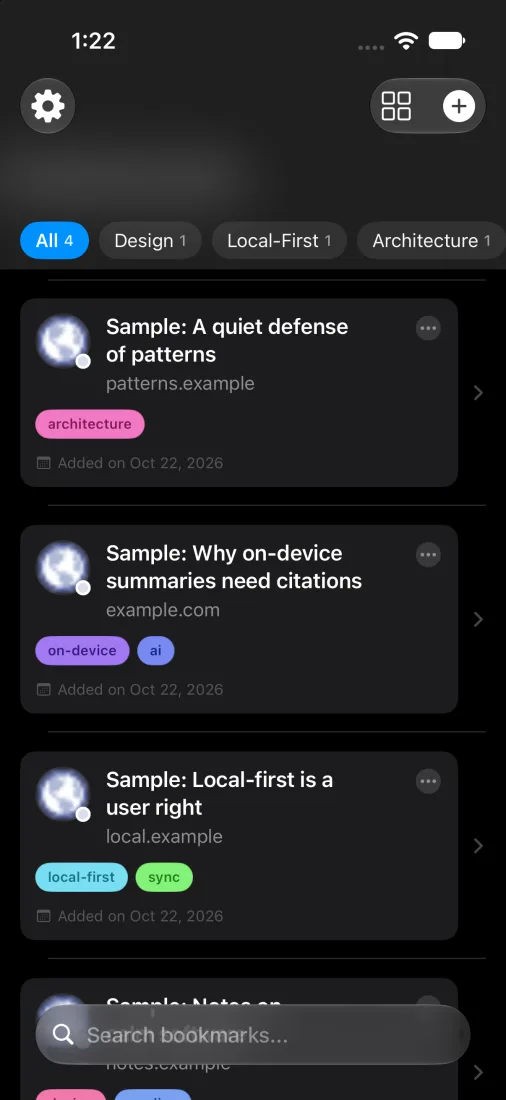
Keep up with links and feeds in a reader with four looks: comic, newsprint, noir and default. A connection to Threadmark for following sources and research is an idea being explored, not a demonstrated integration. All three screens are from the next version, which is not on the App Store yet.

View on the App Store
Feedloom's library in its comic skin, dark, with sample bookmarks
Feedloom's library in its newsprint skin, light, with sample bookmarks
Feedloom's library in the default skin, dark

Two more, up close

Two of the other live apps, with current screens.

Lineage Mirror

iOS · v1.0.0 · First commit 29 May 2026 · 5 commits

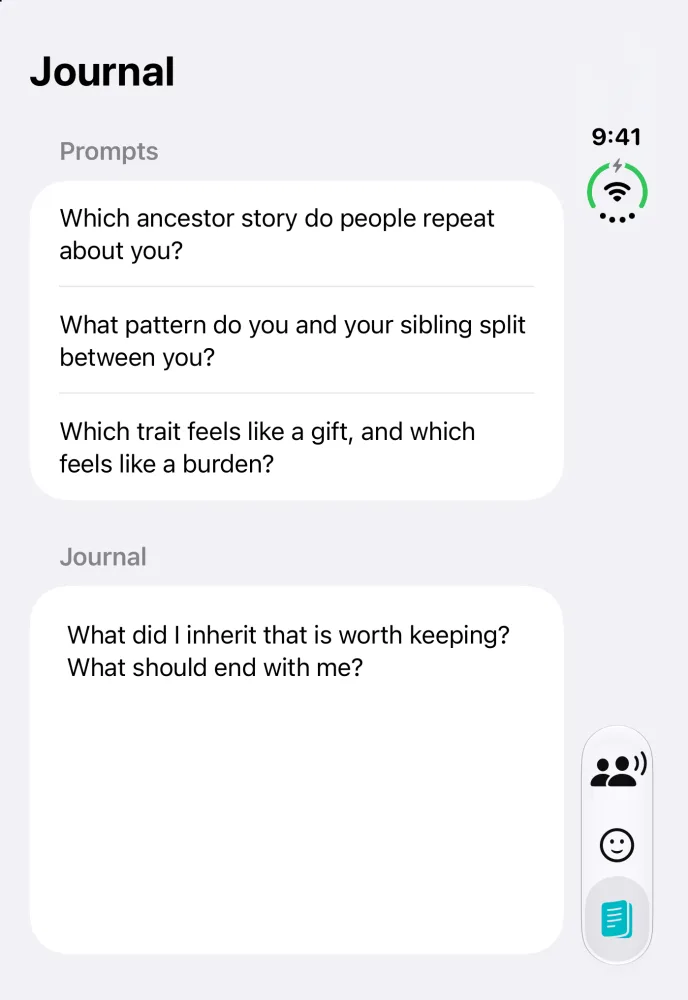
A private reflection app for exploring family stories, inherited traits, and visible resemblance cues.

Screens: the Mirror and Journal tabs, from the current source on the iPhone Duo simulator, 25 October 2026. The app says it is for reflection and is not DNA proof.

View on the App Store
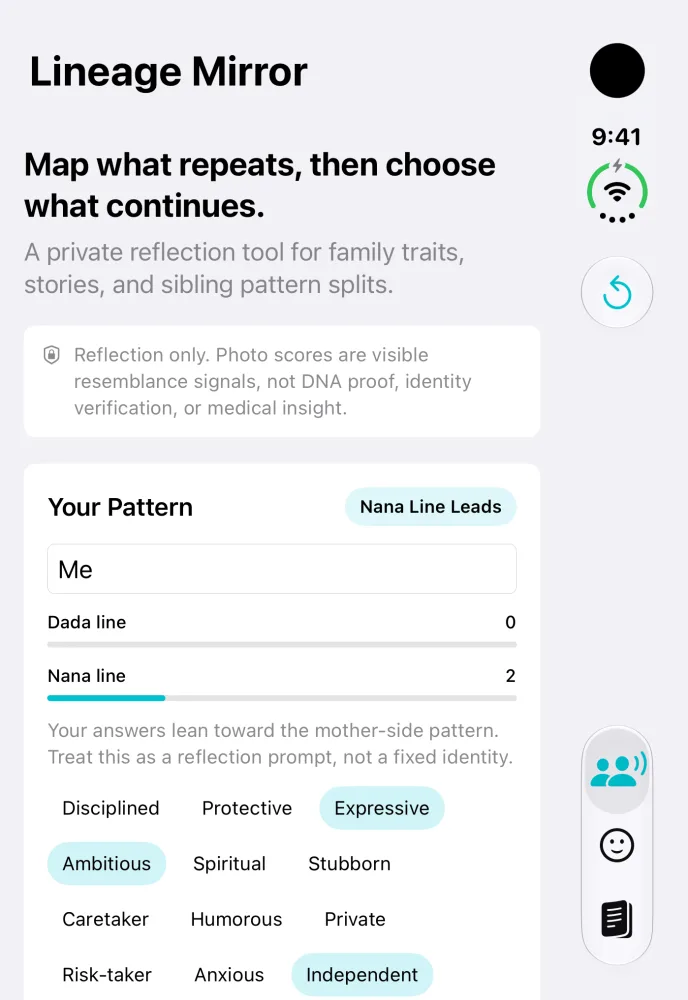
Lineage Mirror's Mirror tab: a headline, a note that it is reflection only and not DNA proof, and a Your Pattern card with two family lines and trait chips
Mirror
Lineage Mirror's Journal tab with three reflection prompts and a journal box asking what was inherited that is worth keeping
Journal

Flickpot

iOS · v2.2.0

A coin-flick game that reveals live market charts, with trick shots, daily challenges, and Pocket Racing.

Screens: the table and the first-run How to Play, from the current source on the iPhone Duo simulator, 25 October 2026. The coins carry market tickers.

View on the App Store

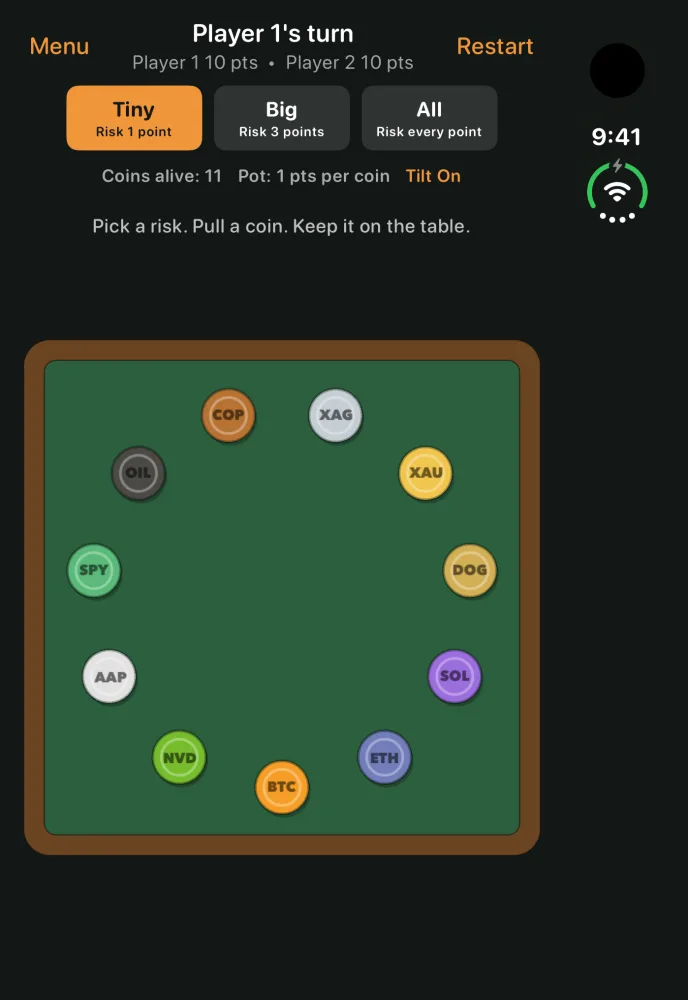
Flickpot's table: eleven coins carrying market tickers on a green felt board, with Tiny, Big and All risk buttons above it
The table
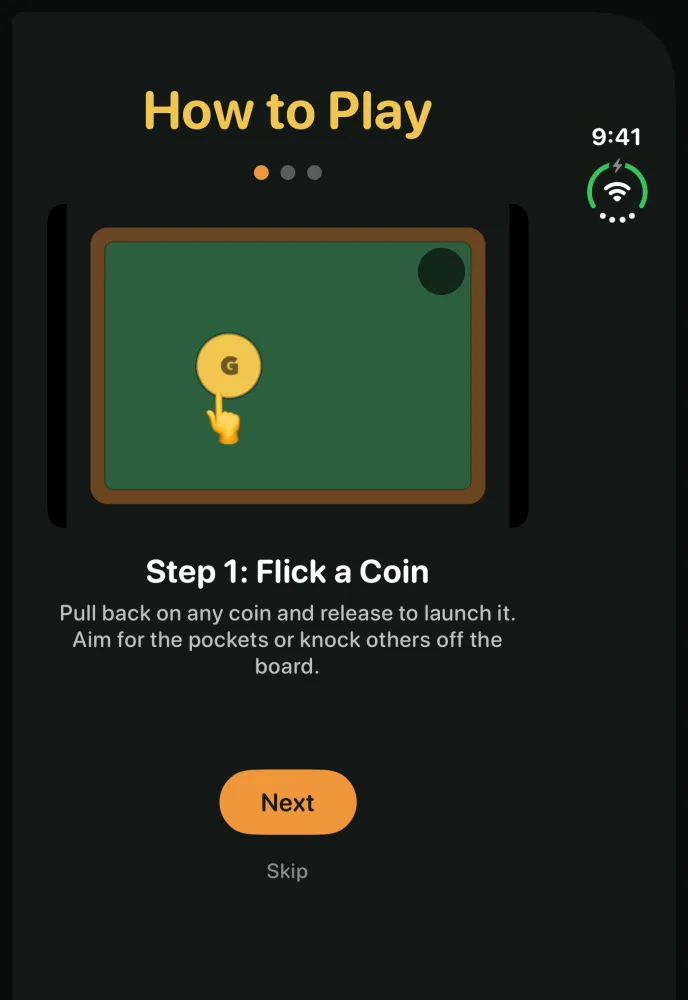
Flickpot's How to Play, step 1, Flick a Coin, with a drawing of a coin and a pocket on the table
How to Play

The app shelf

Each pane links to the app on the App Store, or to the download for the Mac app.

Rifflet app icon Rifflet Generate a riff from a short idea, get a coach tip, and learn it with piano, guitar, or ukulele lessons and local playback. Orbits app icon Orbits Plan your own trips and meetups. On the App Store as Orbits: Find Common Ground. EchoHunt app icon EchoHunt Find songs for a mood or moment, refine suggestions in conversation, preview clips, and save a playlist when you choose. Pastport app icon Pastport On-device Safari history and travel intelligence: intent radar, Siri App Intents, booking gap detection, and two-way Feedloom reading bridge. Flickpot app icon Flickpot A coin-flick game that reveals live market charts, with trick shots, daily challenges, and Pocket Racing. Flyleaf Notes app icon Flyleaf Notes A markdown writing desk for local folders, archives, and eventually GitHub publishing. Quorion Table app icon Quorion Table A storyteller console and table companion for social deduction nights. Checkmate Academy app icon Checkmate Academy A chess learning app with lessons, puzzles, AI games, and review tools. Feedloom app icon Feedloom An RSS reader for keeping up with links and feeds. getNod app icon getNod A small app for sending a nod to someone who knows. Wearover: Restyle Your Outfit app icon Wearover: Restyle Your Outfit Changes what you are wearing in your own photo and keeps your face exactly as photographed; it replaced Best Face Forward. Breakline Surf app icon Breakline Surf Compares visible surfing body position in your own photos and videos, privately on device. DocPolish app icon DocPolish Scan or import document pages on iPhone and iPad, clean them on device, and export PDFs or images. Processing stays private on device; a native Mac version is in development. Lineage Mirror app icon Lineage Mirror A private reflection app for exploring family stories, inherited traits, and visible resemblance cues. Pinprint app icon Pinprint A private trip OS for collecting saved places, screenshots, tips, documents, and travel memories. RoamProof app icon RoamProof Helps travelers plan connectivity before a trip and record where their phone actually worked. Swell Window app icon Swell Window Helps Bali and Indonesia fast-boat travelers read marine model conditions before they travel. The Match Room app icon The Match Room Helps fans, players, coaches, and analysts understand what each match result changes.
Assistants that run on the phone

Three of my apps and one client app have one. Each can only use the few tools it is given, and the limits are part of the screen.

Orbits

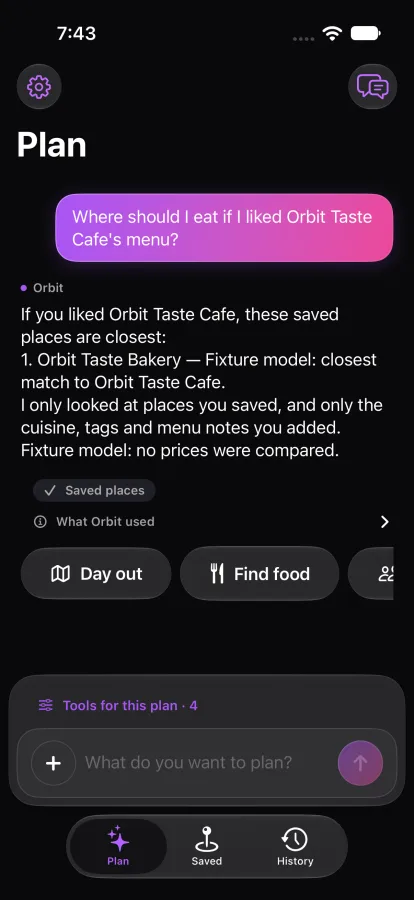
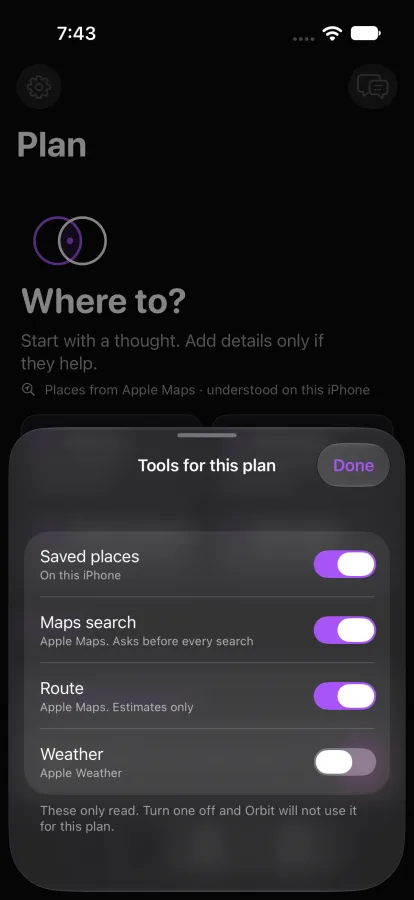
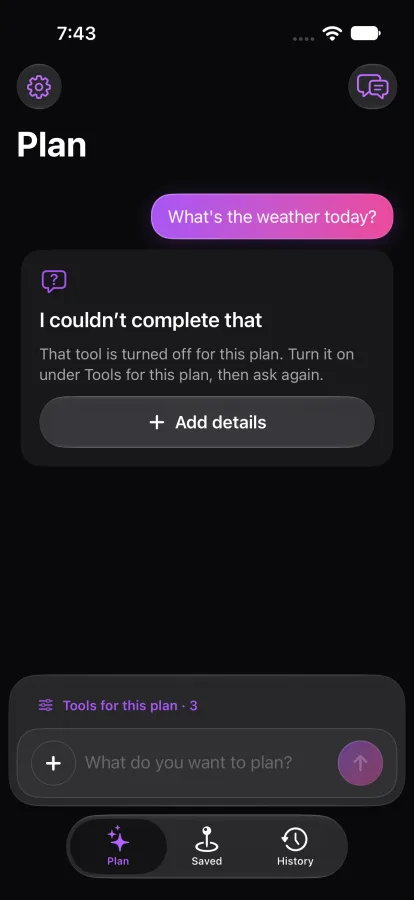
The planner has four tools: your saved places, Apple Maps search, routes and weather. Each has a switch. Turn weather off and Orbits says it cannot answer instead of guessing.

Build in development, 22 October 2026 · fixture model standing in for the on-device one

Orbits Tools for this plan sheet with saved places, maps search, route and weather all switched on
Orbits Tools for this plan sheet with weather switched off
Orbits replying that it could not complete a weather question because that tool is turned off

Quorion Table

The host's assistant can call exactly three tools, and nothing else. The model proposes and the rules decide: a suggestion that names a dead seat or an unknown one is thrown out and the plain rule is used instead.

In development · covered by unit tests, no screens of it yet

  1. Role counts Checks that the mix of characters fits the number of players.
  2. Night order Works out who wakes, and when, for the first night or any later one.
  3. Bluff sets Builds three sets of three characters to bluff with, and refuses when fewer than three qualify.

Glint

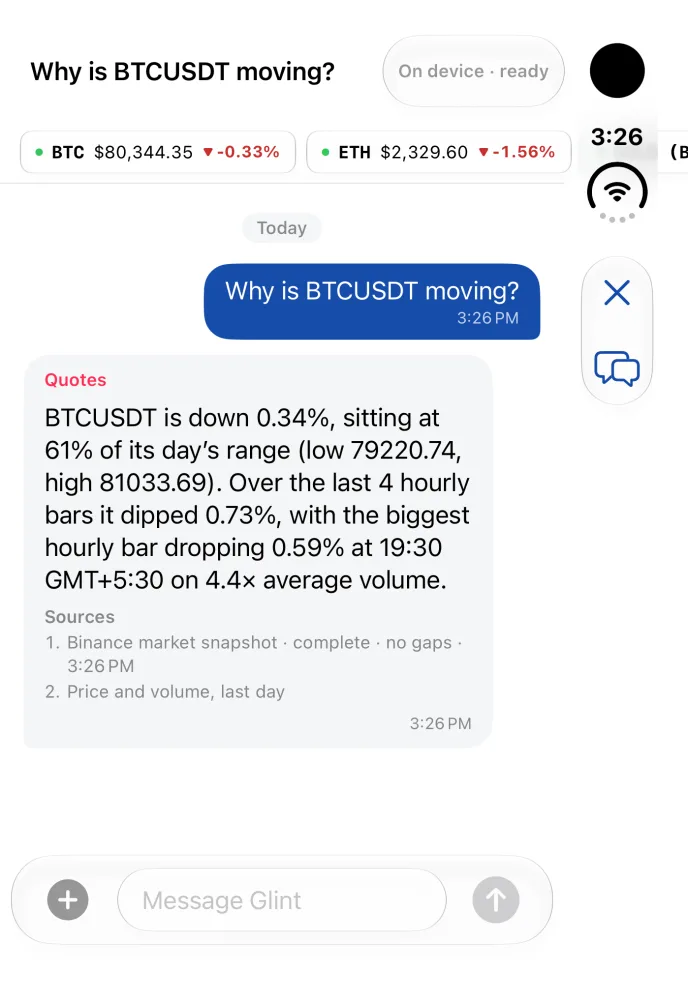
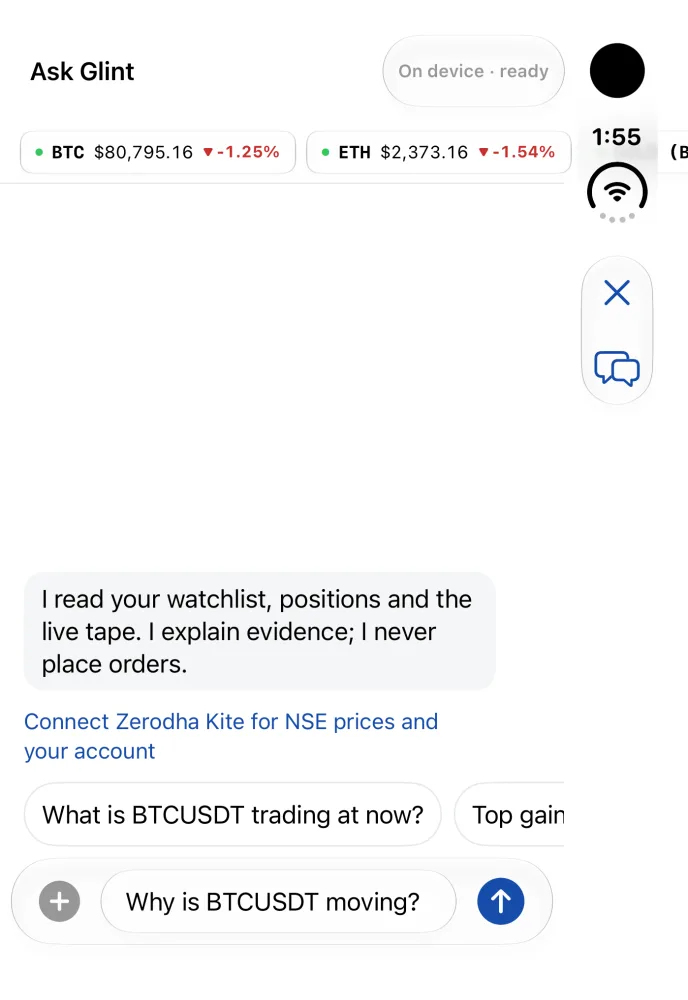
In this captured development build, Ask Glint reads a day of price and volume for a question about BTCUSDT and lists its sources. The captured assistant had no order tools.

In development · the answer is from a build that is not merged yet, captured 25 October 2026 on the iPhone Duo simulator, signed out, on the on-device model and live public Binance prices

Ask Glint on the phone: a ticker strip of live BTC and ETH prices, the line that it never places orders, and suggested questions

Before you ask. Captured 24 October.

Ask Glint answering why BTCUSDT is moving: the day's change and range, the biggest hourly bar and its volume, with a Sources list under the answer

An answer, with its sources. 25 October.

MeAmi Stays: Ask

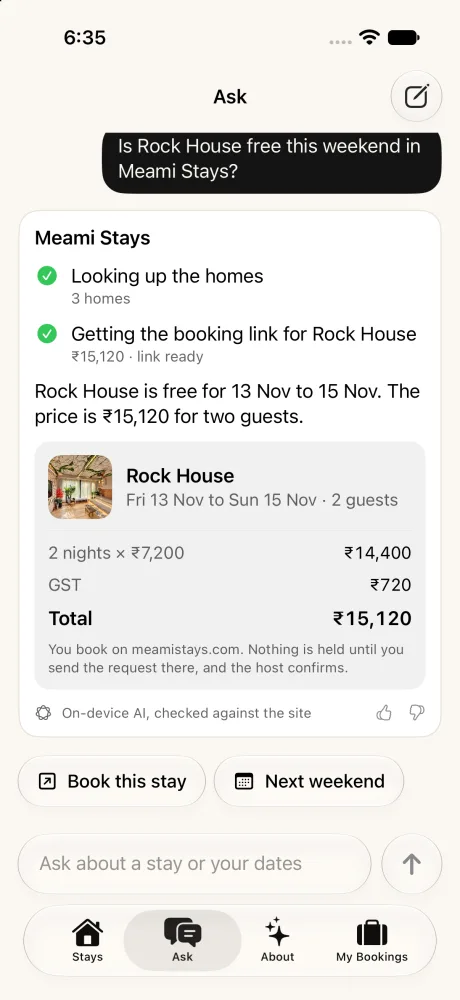
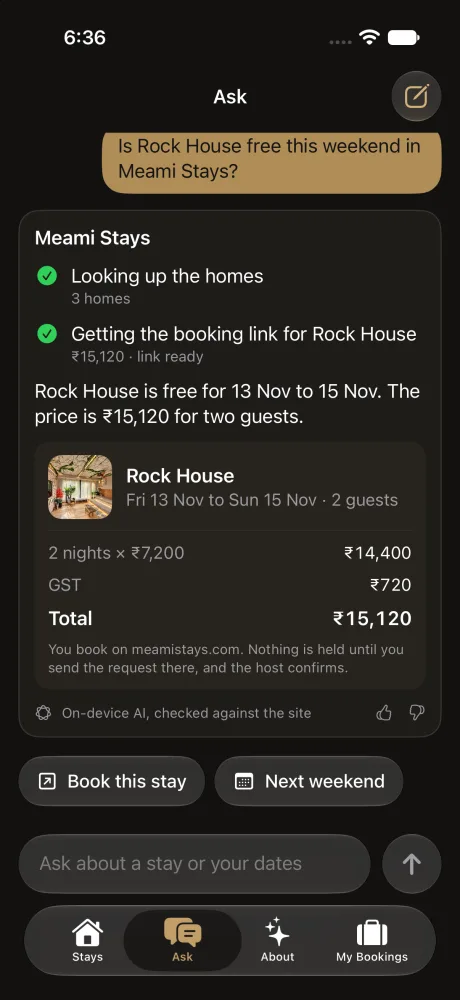
Ask about a home and your dates in plain words. The answer comes only from MeAmi Stays' public MCP server and its four tools: list_stays, check_availability, quote_stay and start_booking. The on-device model calls them. When it cannot answer, guided rules do, and the answer is labelled "Quick match, no AI".

An answer with a price, a date or a number of nights the tools never returned is refused. Book asks first, with a plain "Not now", then opens meamistays.com. Nothing is booked or paid in the app.

Client work for meamistays.com · not released · captured 10 November 2026 on the iPhone simulator, against the live public MCP. In both screens the on-device model answered and the answer passed the check, so it is labelled "On-device AI, checked against the site". The model words it differently each time. Whether it answers on a real phone is not tested yet.

MeAmi Stays Ask, light: the question Is Rock House free this weekend, steps for looking up the homes and getting the booking link, the answer that Rock House is free for 13 to 15 Nov at 15,120 rupees for two guests, a card with 2 nights at 7,200 rupees, 720 rupees GST and the total, an On-device AI, checked against the site label, and Book this stay and Next weekend buttons

"Is Rock House free this weekend?" Light.

The same MeAmi Stays answer in dark mode: Rock House free Fri 13 to Sun 15 Nov, 15,120 rupees for two guests including 720 rupees GST, with Book this stay and Next weekend buttons

The same answer, dark.

In the studio

Work that is not out yet. Frosted glass means in development.

Glint

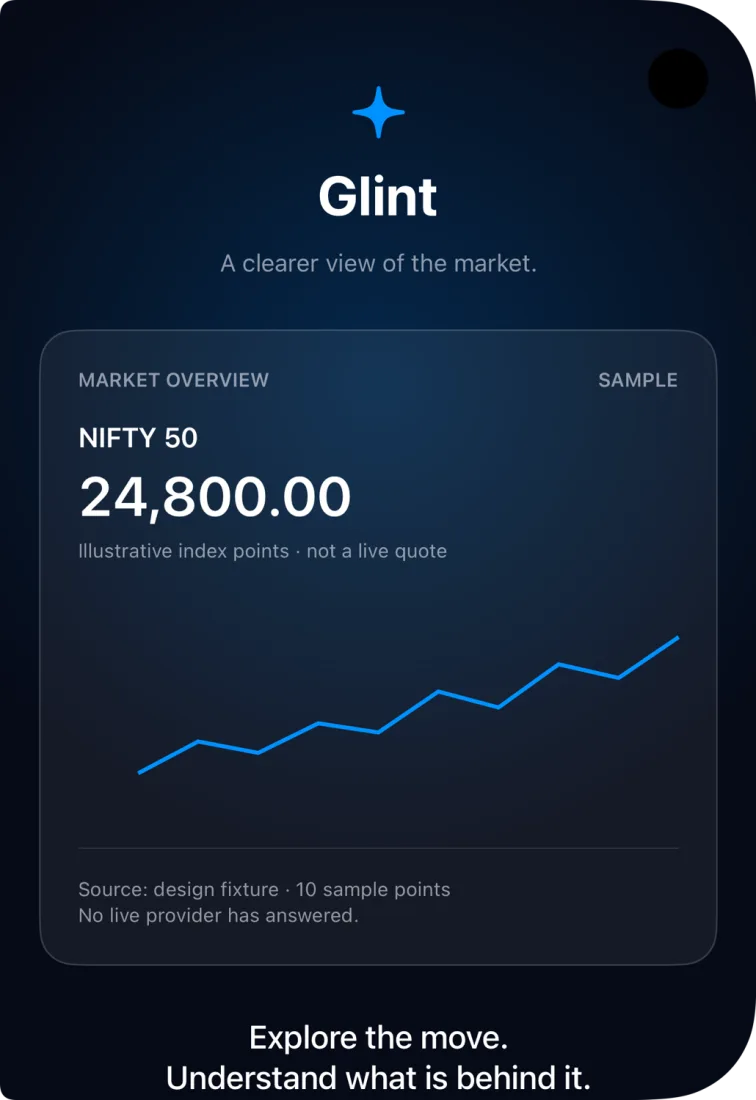
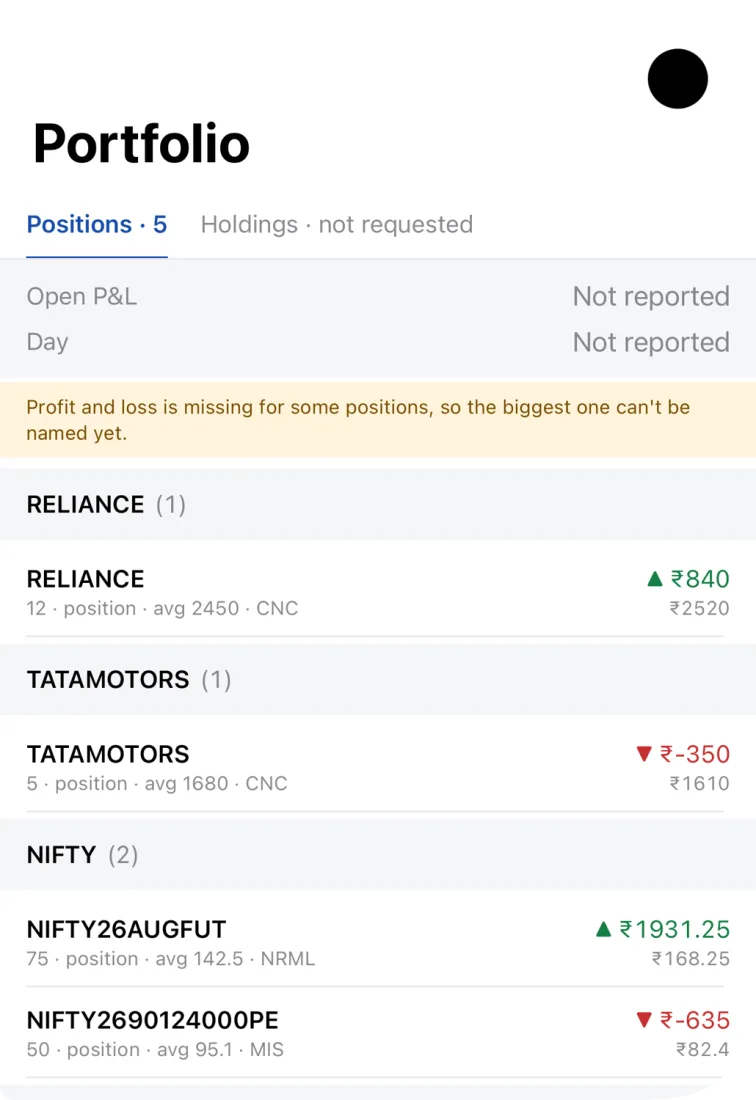
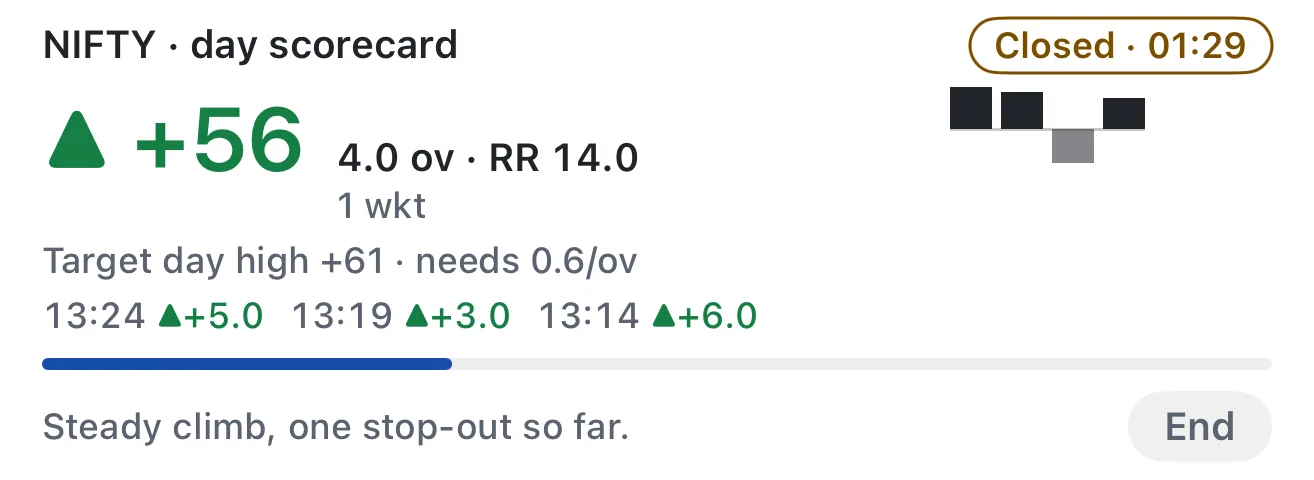
A native Swift market desk with live watchlists, sector heatmaps, a portfolio view, a chart sheet and a Live Activity that frames the trading day like a cricket innings. Orders stay locked. The three phones and the Lock Screen card below are Xcode previews with sample numbers.

First commit 6 Aug 2026 · 4,045 commits · in development

Glint's market overview card with a sample NIFTY 50 chart, labelled illustrative and not a live quote
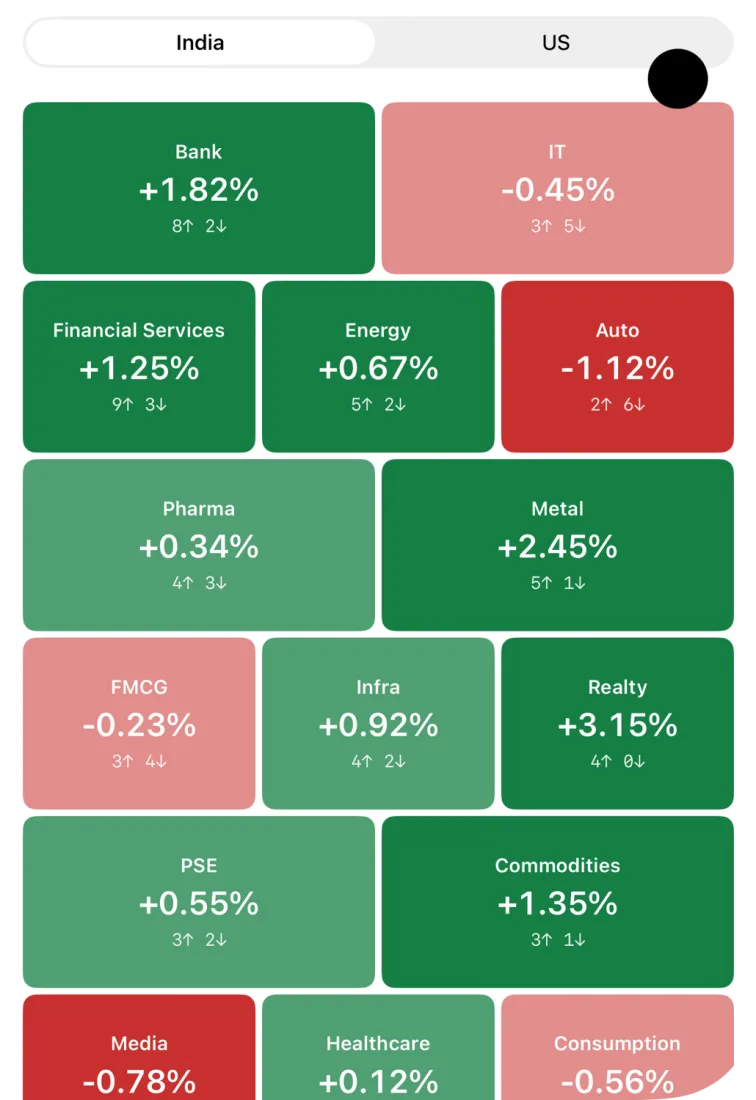
Glint's sector heatmap for India with sample sector moves in green and red tiles
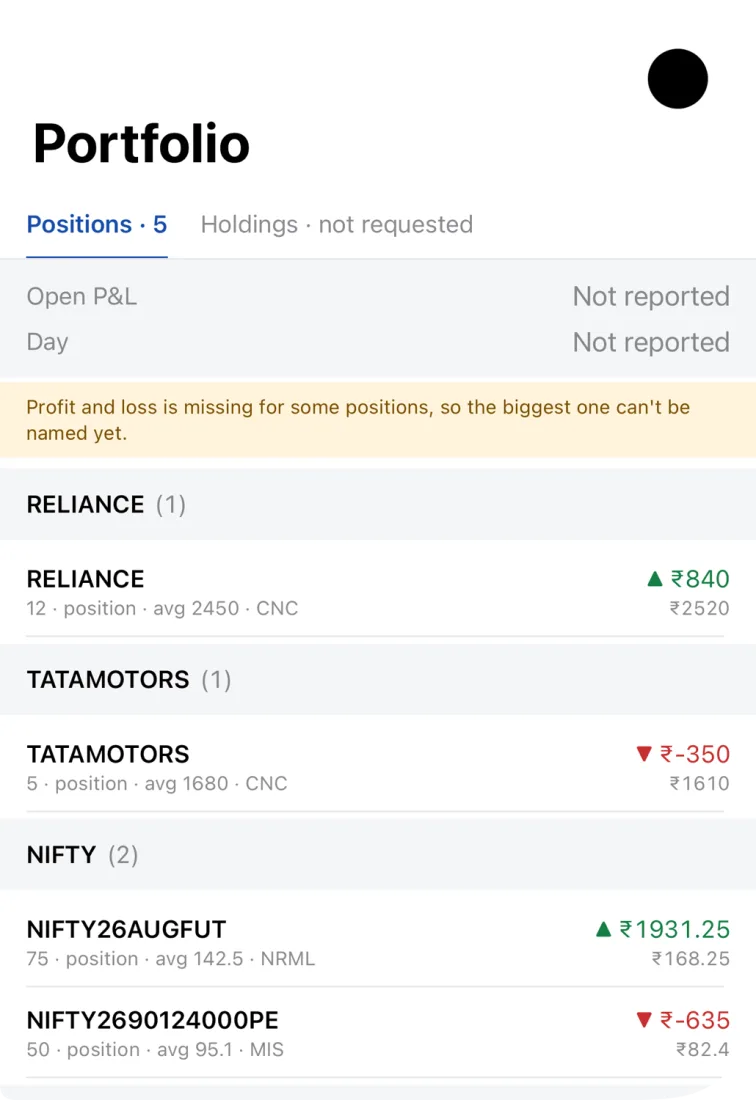
Glint's portfolio screen with sample positions and a note that profit and loss is missing for some
Glint's Lock Screen Live Activity: a NIFTY day scorecard showing plus 56 points, 4.0 overs and a closed timer
The Lock Screen Live Activity: the NIFTY day as a scorecard.
The chart sheet and native candlesGlint · five screens · in development

The chart sheet

Development capture · 24 October 2026

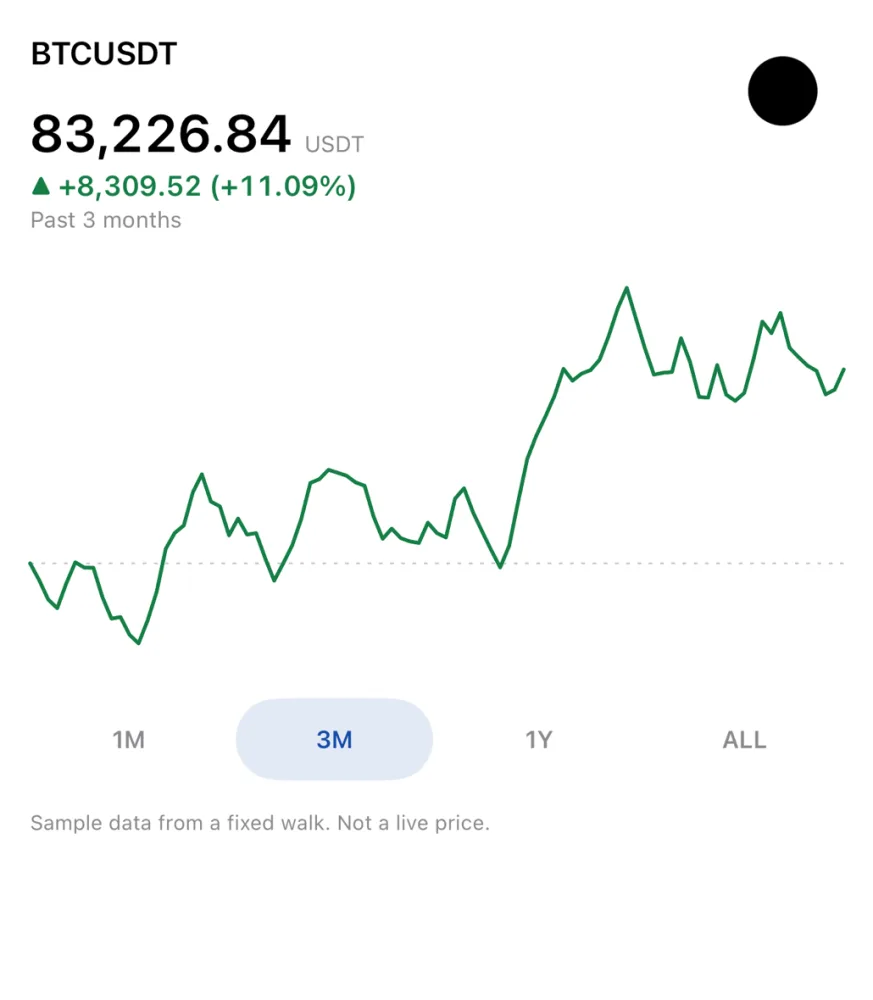
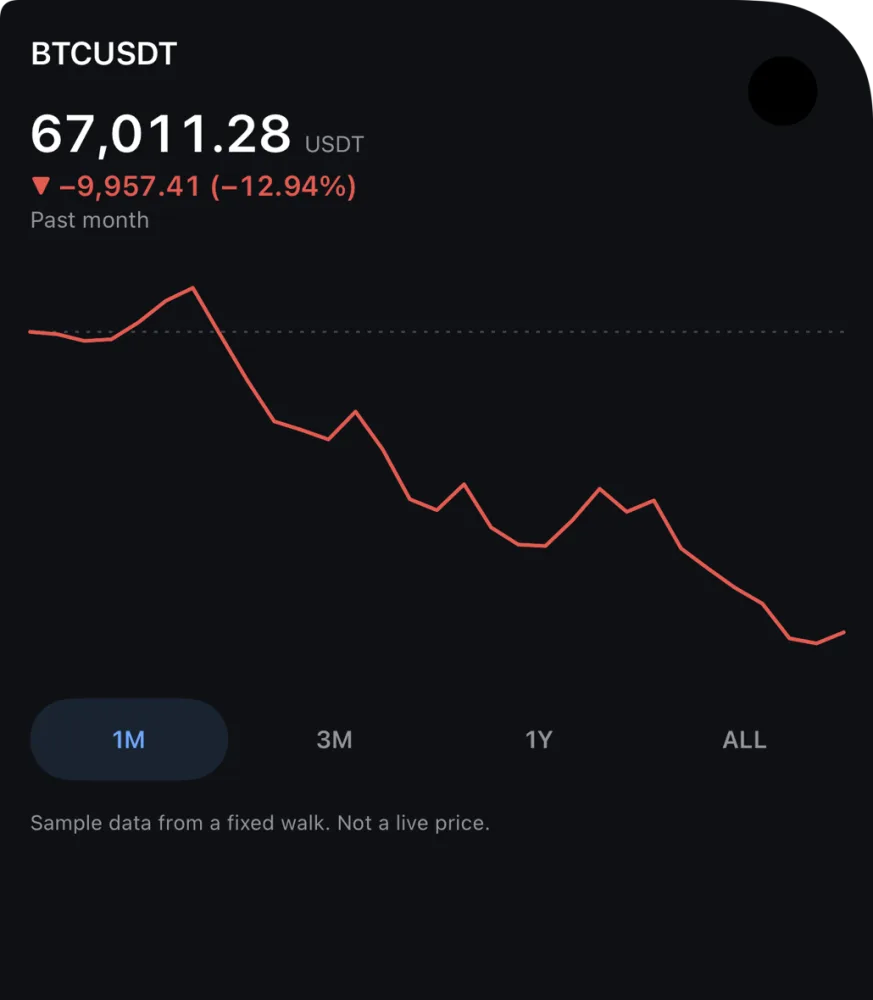
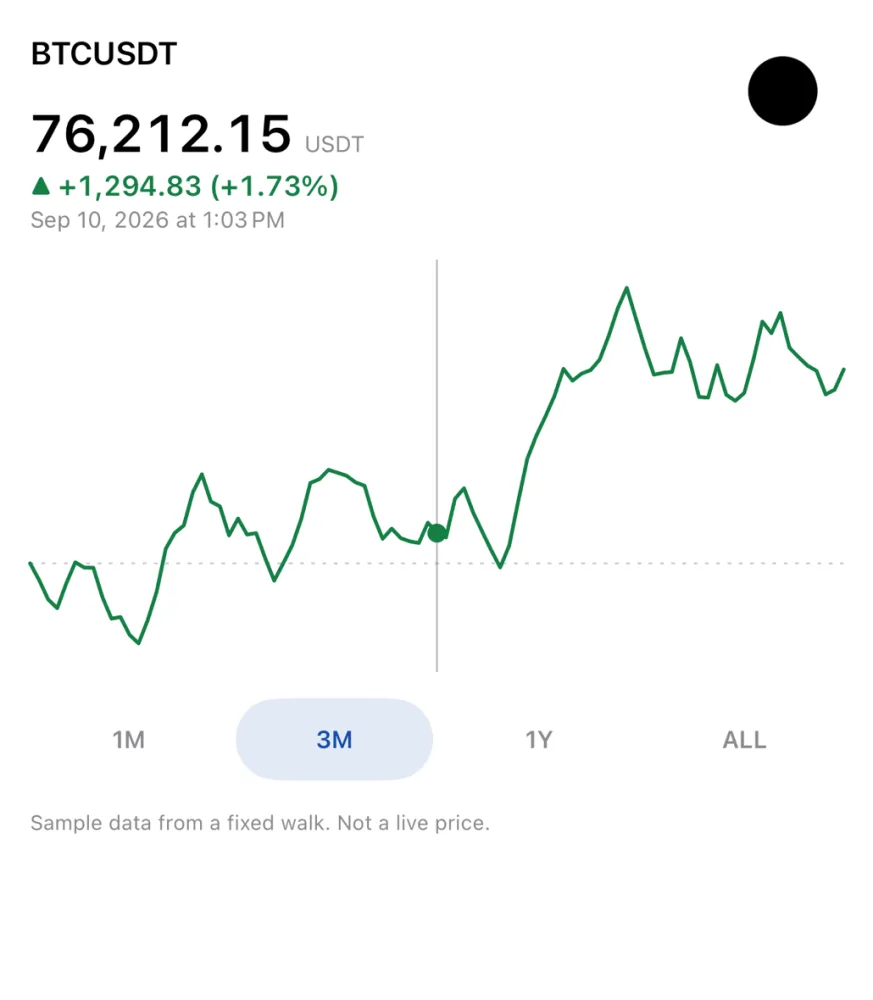
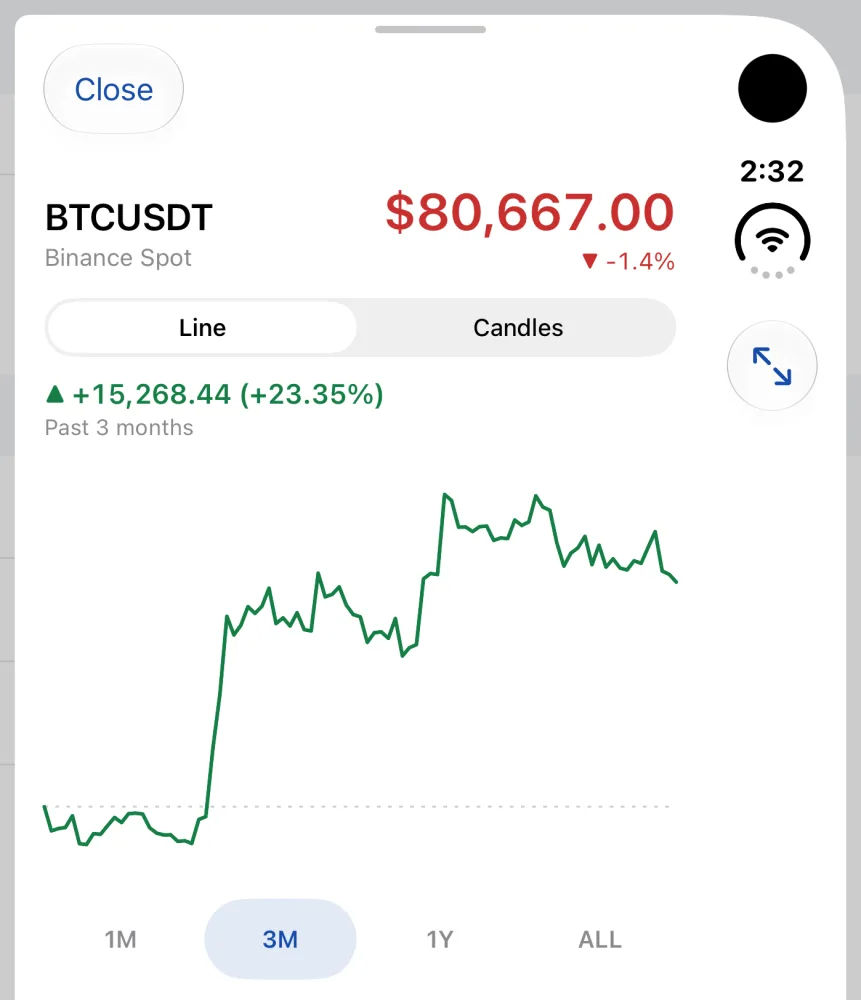
Open a name in Glint and its chart starts as one price line. Pick 1M, 3M, 1Y or All, and the line is green or red by how the period went. Touch and drag along it to read the price and the time under your finger. Candles stay one tap away. Three of the four screens are Xcode previews with a fixed sample walk, and the picture says so. The fourth is the running app on live public Binance prices.

Glint's chart sheet as a price line, with a green line for a rising period, range buttons 1M, 3M, 1Y and All, and a note that the data is a sample and not a live price
Rising, light. Sample data.
Glint's chart sheet in dark mode with a red price line for a falling month, and a note that the data is a sample and not a live price
Falling, dark. Sample data.
Glint's price line while scrubbing: a vertical cursor and a dot on the line, with the price and the date and time under the finger shown above the chart
Scrubbing. Sample data.
Glint's chart sheet on a live public Binance price for BTCUSDT, with a Line and Candles switch, a green price line and range buttons
Live: public Binance prices, signed out.
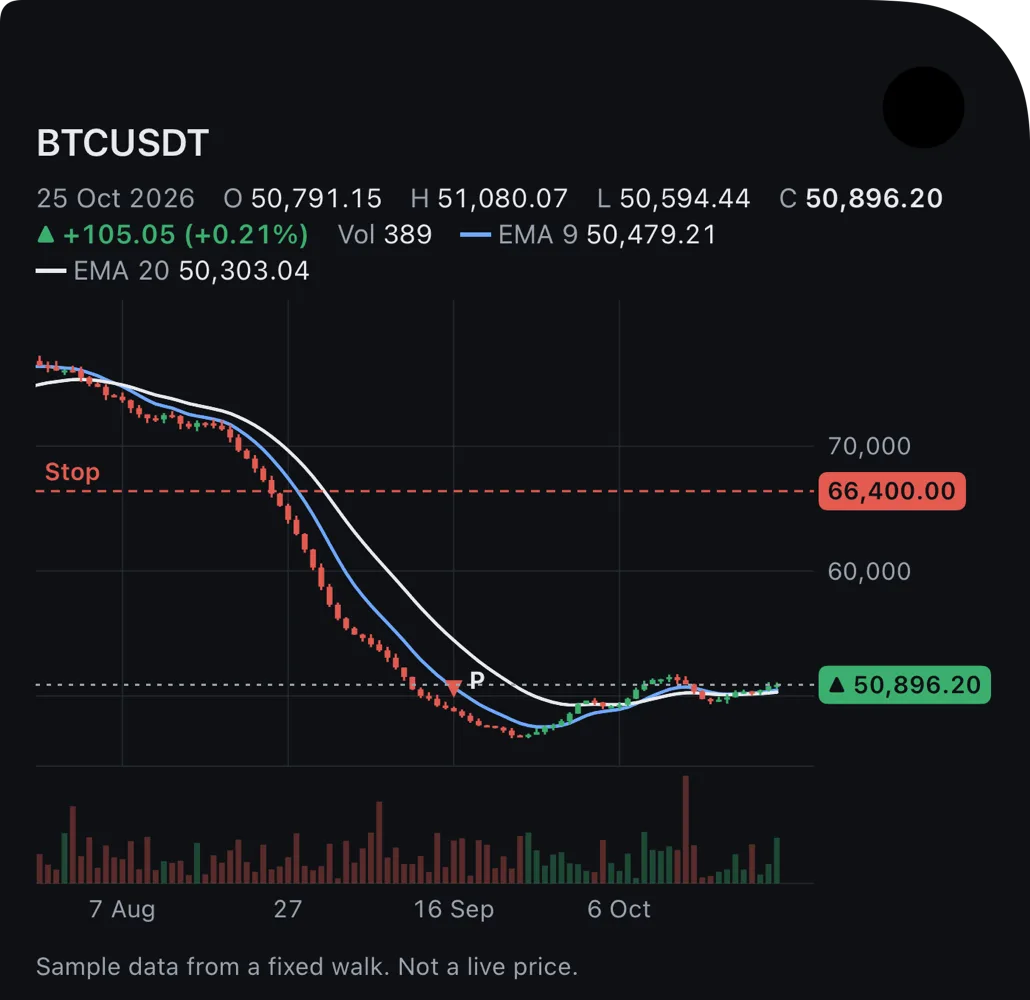
Glint's native candle chart in dark mode, with candles, two moving-average lines, a stop level, volume bars and a note that the data is a sample and not a live price
Native candles. Sample data.

Native candles

The candle chart, drawn natively instead of in a web view: candles, two moving averages, volume and a stop level, over the same chart frame as the price line. It is the next step after the price line.

An Xcode preview with sample data, 24 October 2026. The work is on a branch that is not merged yet, so it is in no build.

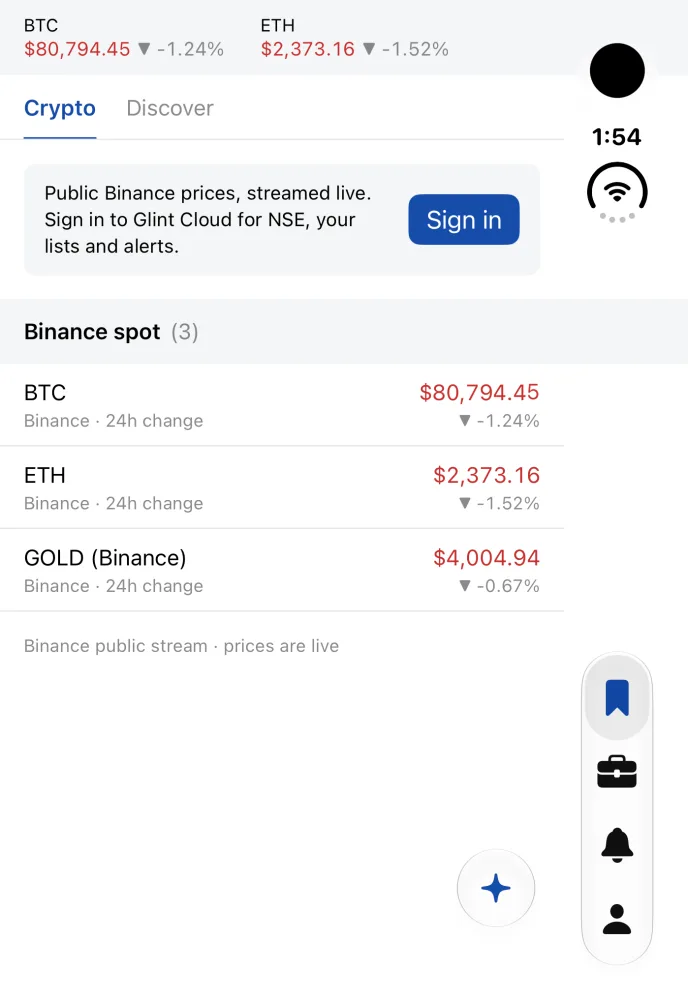
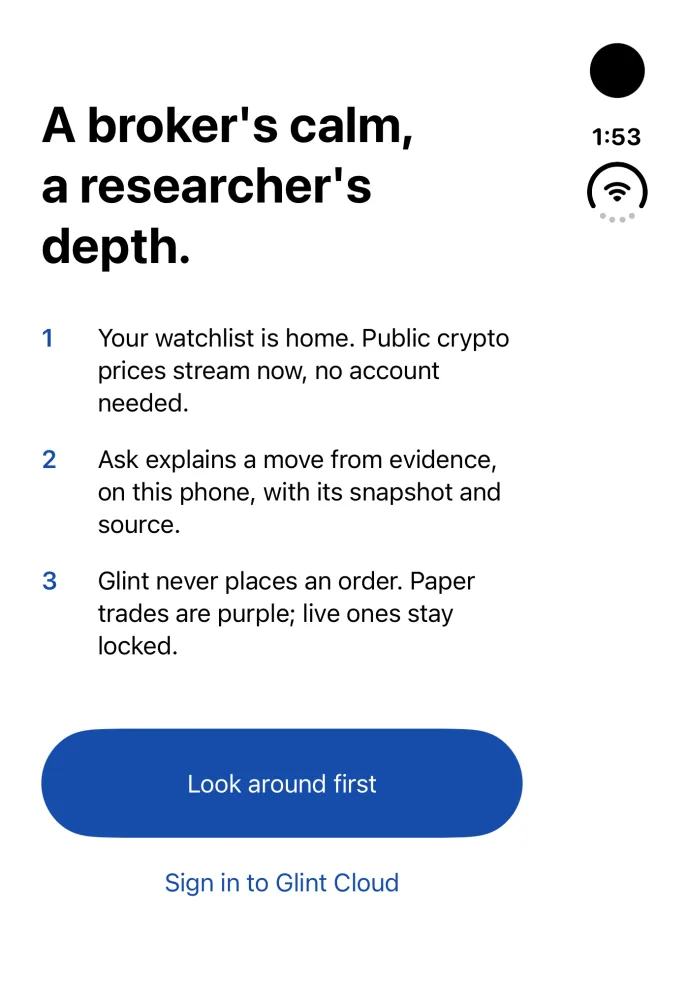
Development capture. Signed out, using public Binance prices on the iPhone Duo simulator, 24 October 2026.
Glint's welcome screen in the latest build

Welcome

Glint's watchlist with live public Binance prices for BTC, ETH and a gold contract, and a Sign in banner

Watchlist, live prices

What is real here

Live
Prices for BTC, ETH and gold come straight from Binance's public stream.
Sample
Positions, profit and loss, the NIFTY chart, the sector heatmap and the Live Activity are Xcode previews with made-up numbers.
Paper only
Trade tickets in this captured build are simulated; orders are locked.
Never shown
Any real account, balance or position.

Xthlete

Concept · first commit 5 Oct 2026 · sample data

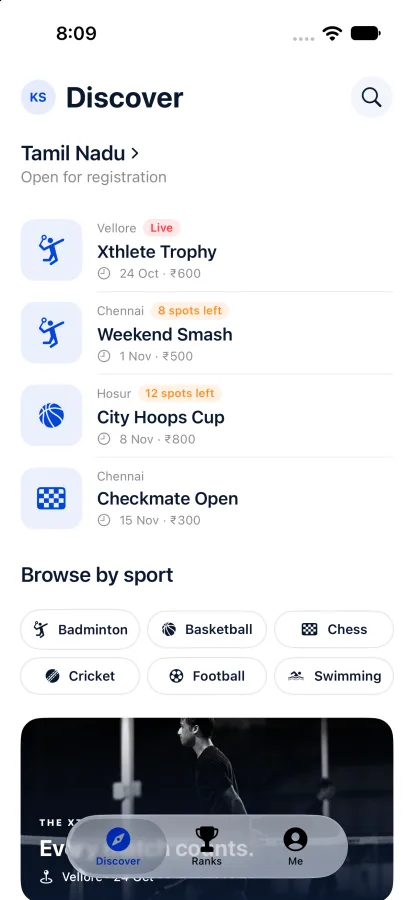
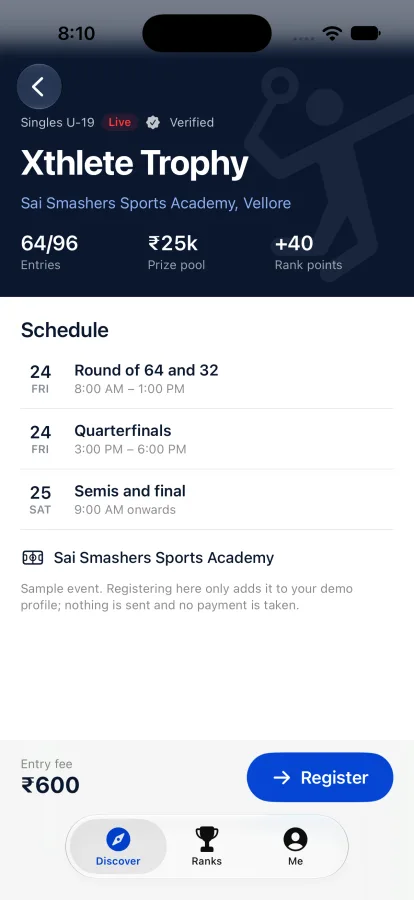
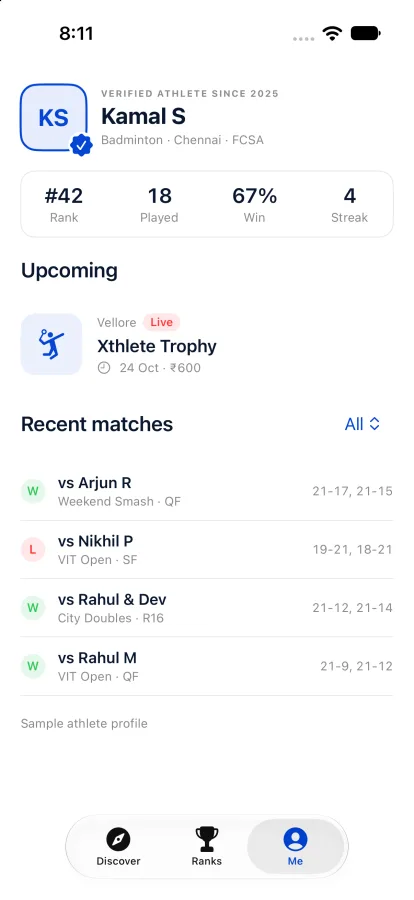
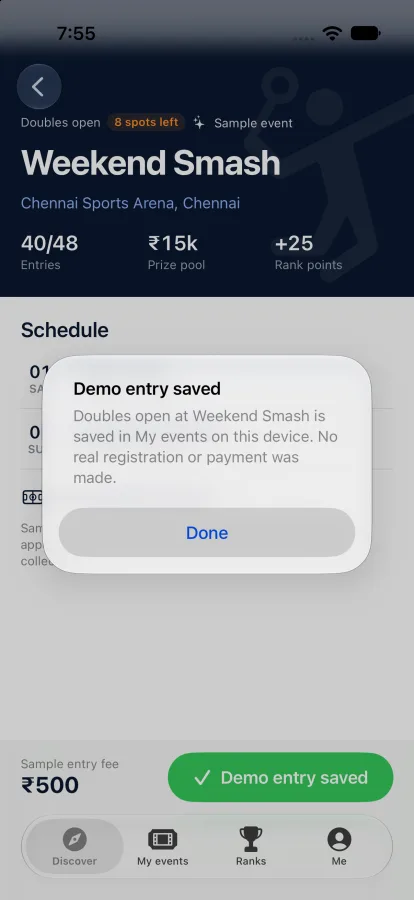
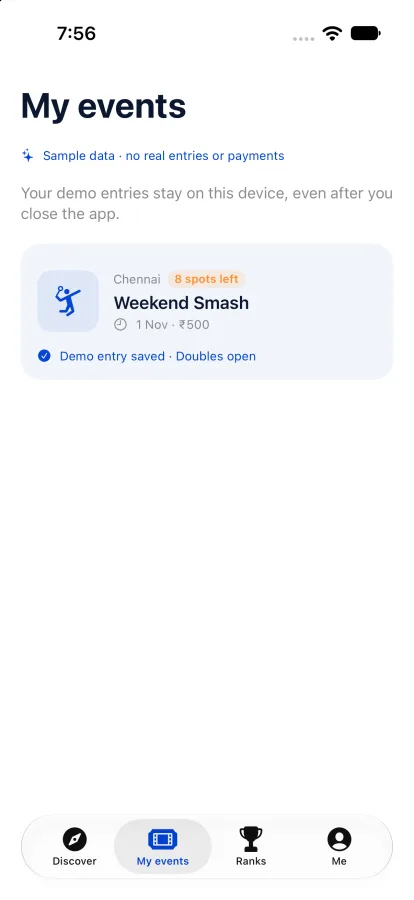
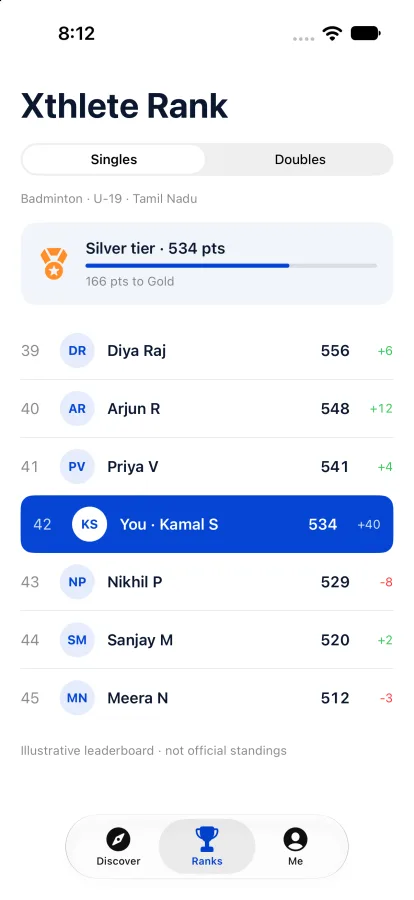
A native SwiftUI concept for tournament discovery, entries, player profiles and rankings. Its navy, white and blue and its court photo come from the public Xthlete site. Every event, price, athlete and ranking is made up, and an entry only saves a note on the phone: nothing is sent and nothing is charged.

Xthlete concept showing Discover with upcoming sample tournaments
Discover
Xthlete concept showing a sample tournament with schedule and entry fee
An event
Xthlete concept confirming a demo entry saved on this device, with no payment
A demo entry
Xthlete concept's My events screen listing one saved demo entry
My events
Xthlete concept showing sample singles rankings
Rankings
Xthlete concept showing a sample athlete profile with rank, matches and recent results
A player

Maquette

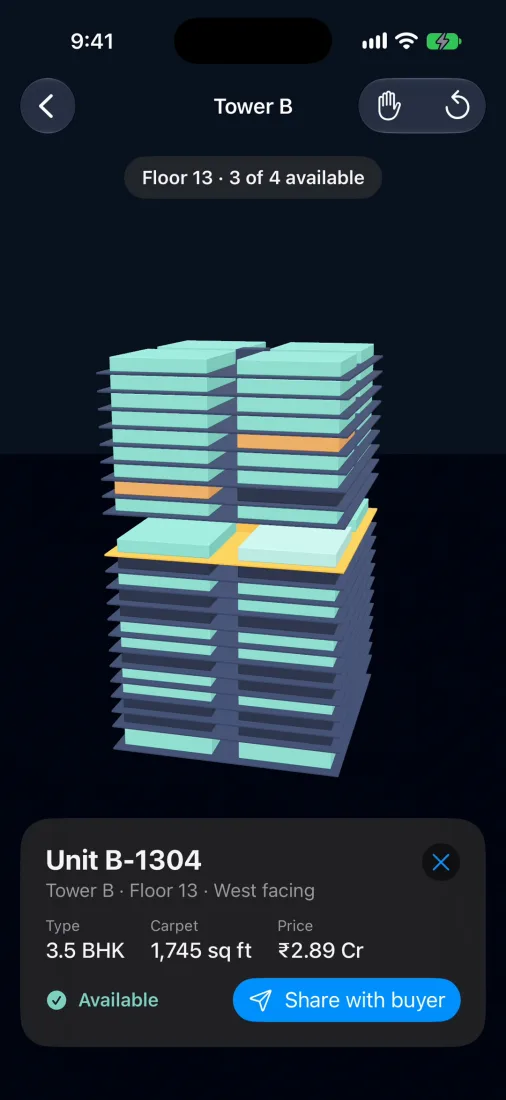
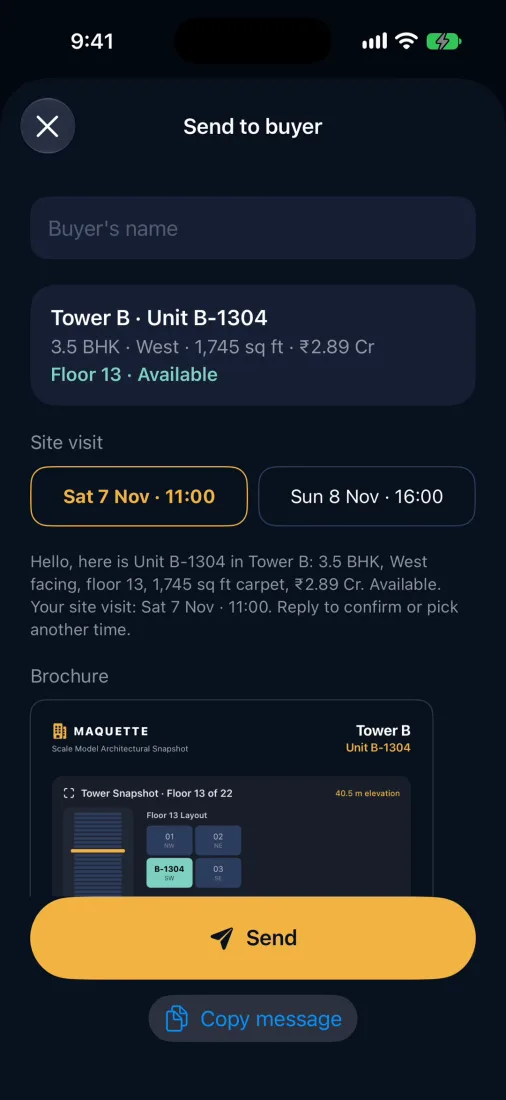
Photograph the scale model in a property sales office and get a 3D tower: tap a floor and the floors above lift away, tap a flat for its price and availability, then send the buyer a brochure and a site-visit slot.

First commit 2 Nov 2026 · 15 commits · in development

Maquette's sample Tower B with floor 13 lifted and flat B-1304's card: 3.5 BHK, 1,745 sq ft, available
Maquette's Send to buyer sheet with two weekend site-visit slots, the message and a one-page brochure

Maskmen and Night of the Ninja

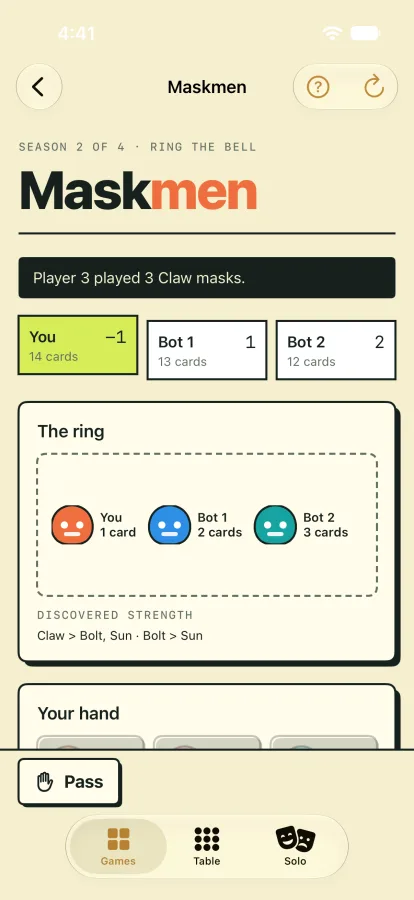
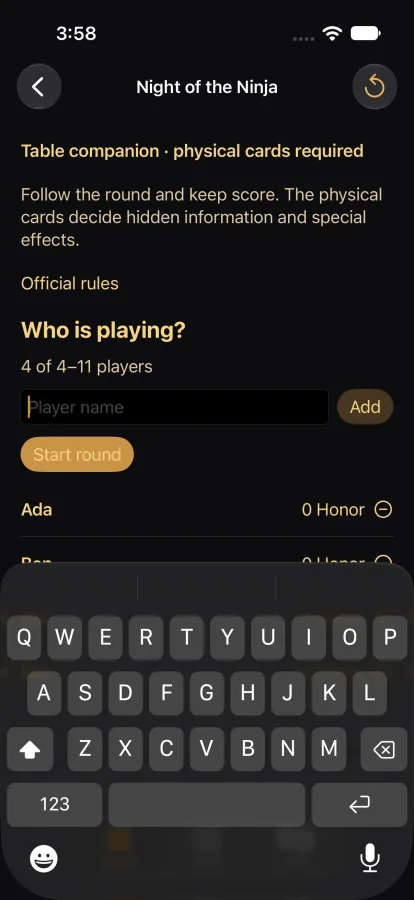
Two card games in one place: play Maskmen against two bots on this device, or run Night of the Ninja as a companion for the physical cards.

Inside the 1.4 hub · in development

Maskmen game table: one player against two bots, with a ring and a hand of cards
Night of the Ninja companion with four players listed and their honor

Threadmark

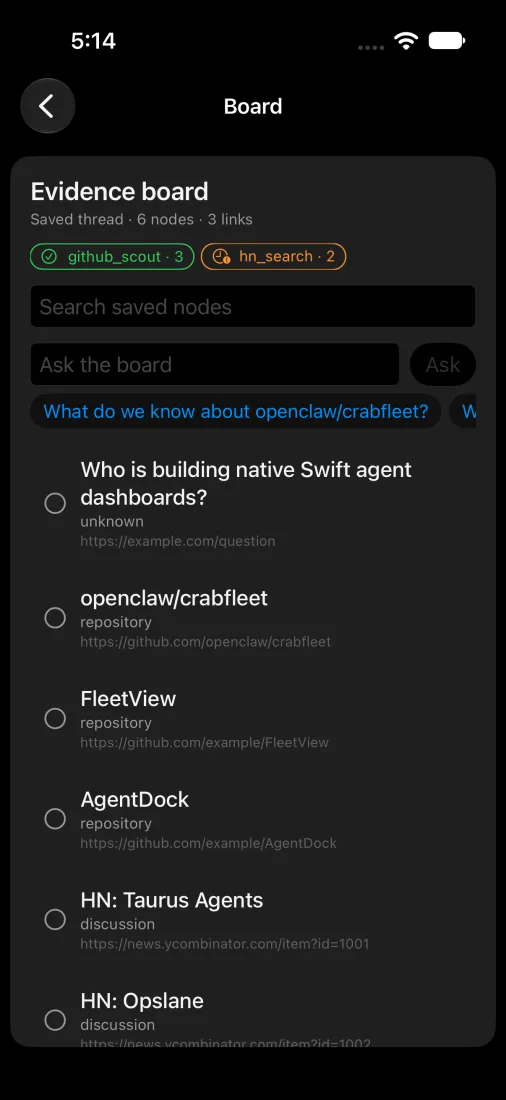
An evidence board that turns one question into sources you can check, with a status for every source.

First commit 5 Aug 2026 · 232 commits · in development

Threadmark evidence board on a sample question about native Swift agent dashboards

Spotter

A fitness app that began with an idea for my gym trainer and his bigger plans. It explores on-device movement analysis and coaching.

In development

How it is made

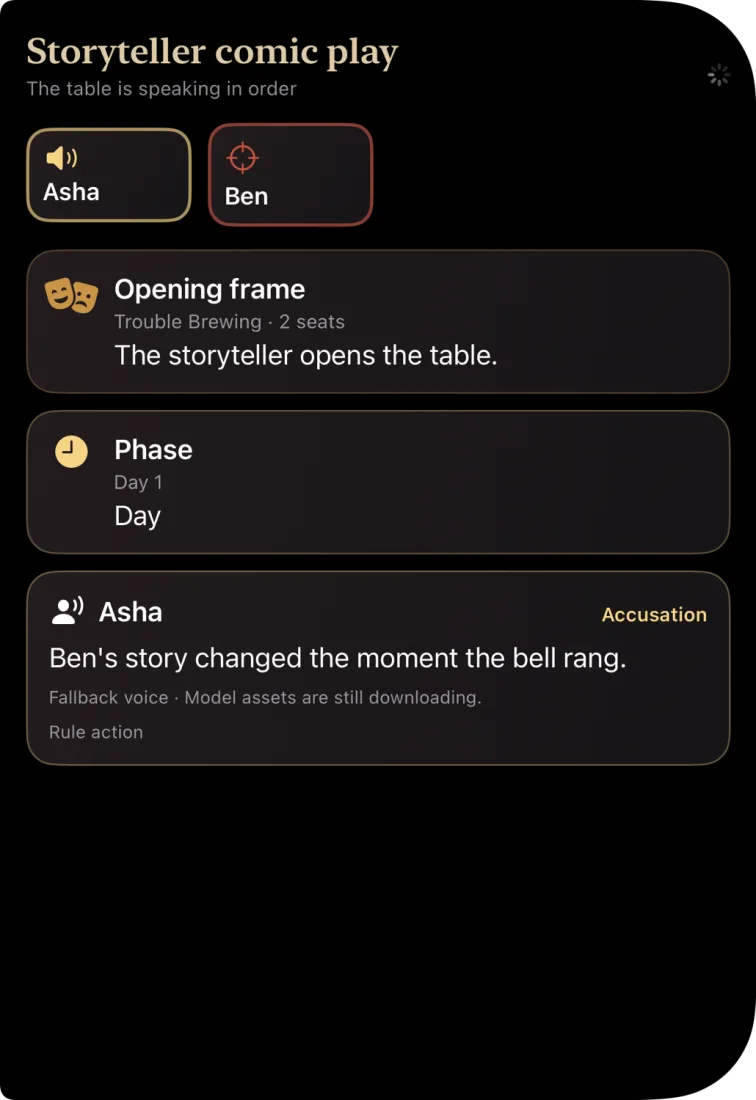
New flows start as a clickable prototype, and screens get rendered in Xcode before they ship. These three are Xcode previews, taken on 24 October 2026 with sample data.

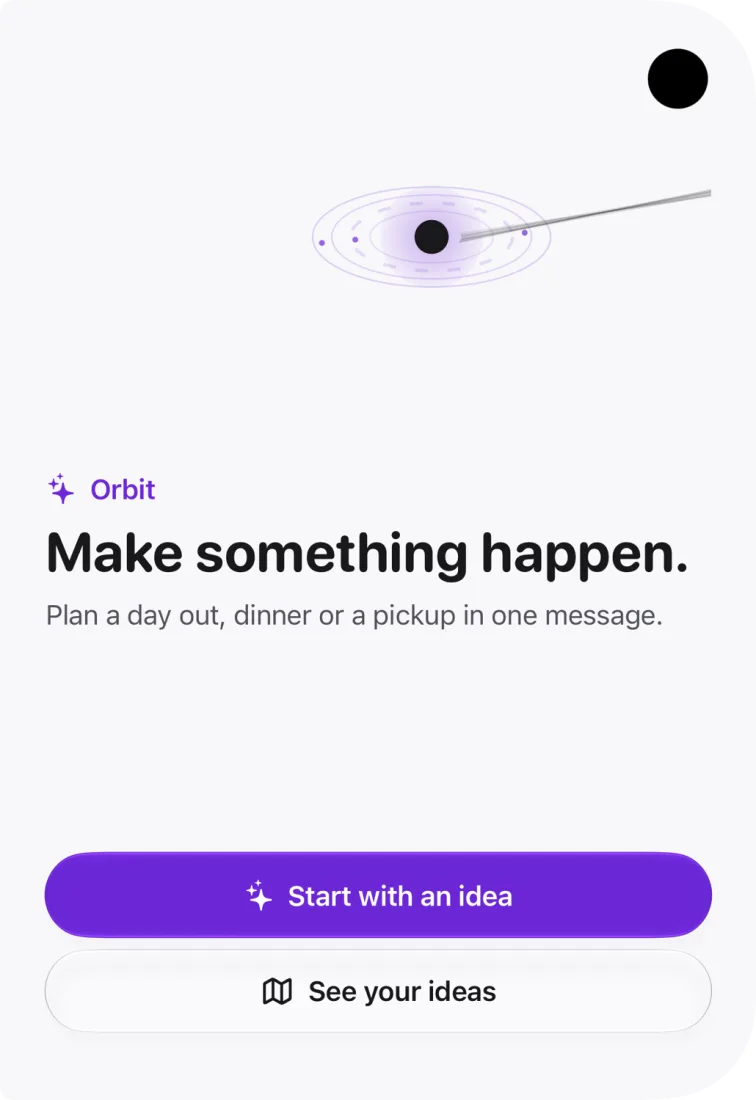
Xcode preview of the Orbits launch screen, Make something happen
Orbits, launch screen
Xcode preview of Quorion Table's storyteller comic play screen in dark mode
Quorion Table, dark mode
Xcode preview of Glint's portfolio screen with sample positions
Glint, sample positions

Prototype first. A new flow is drawn as a page I can click through before I write Swift.

Render before it ships. Xcode previews show dark mode and large text before a build goes out.

Keep it on the device. Many of these apps do their thinking on the phone.

Have an app that should exist?

Tell me what it should do and who it is for.

Get in touch
Get in touch